Pipeline Debugging
Analyze Job with Metis
The Momentum platform displays logs for successful and failed pipeline runs. For failed runs, Metis provides AI-assisted analysis to identify errors, likely root causes, and troubleshooting recommendations. It also provides a confidence score for its diagnosis.
Metis Job Analysis provides AI-assisted insights into pipeline failures, including the likely root cause and recommended actions to help resolve the issue.
Click on any failed pipeline.
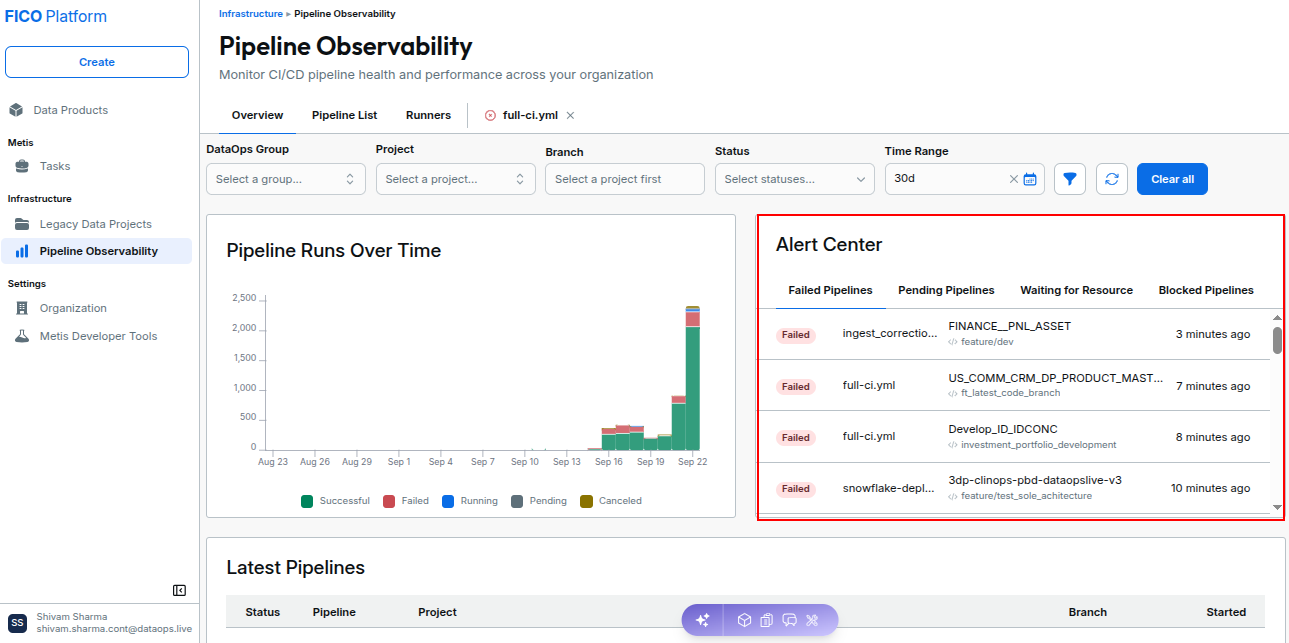
Scroll down to the failed job and click the button “Analyze Job with Metis”
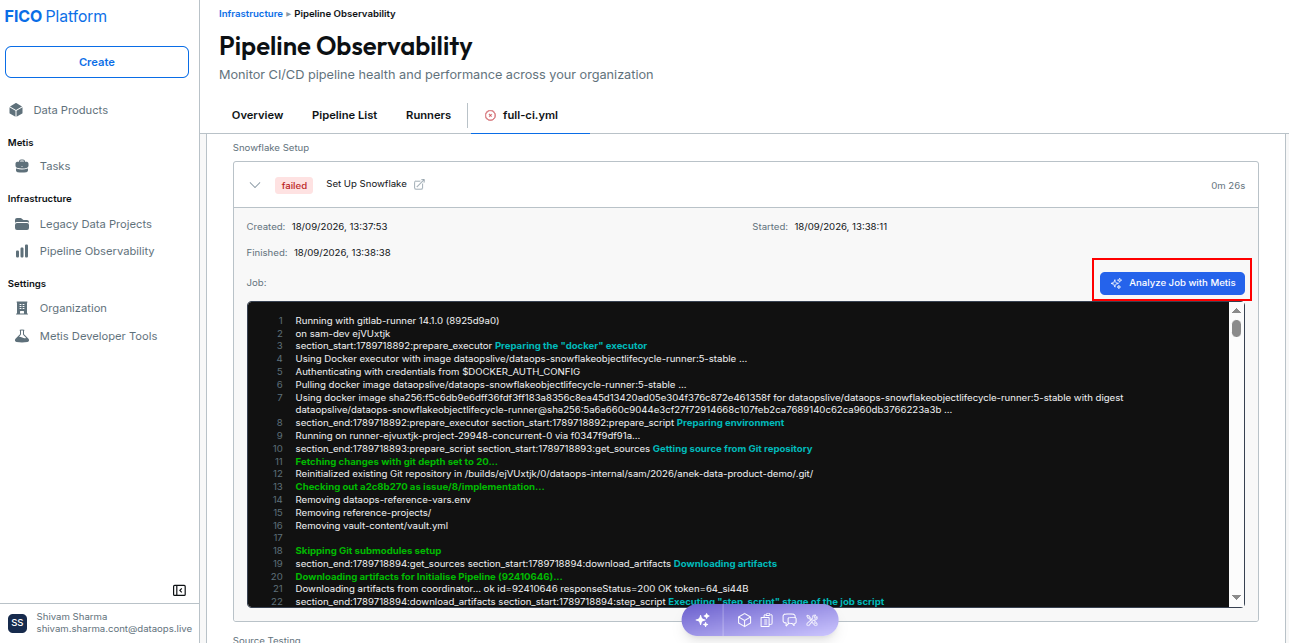
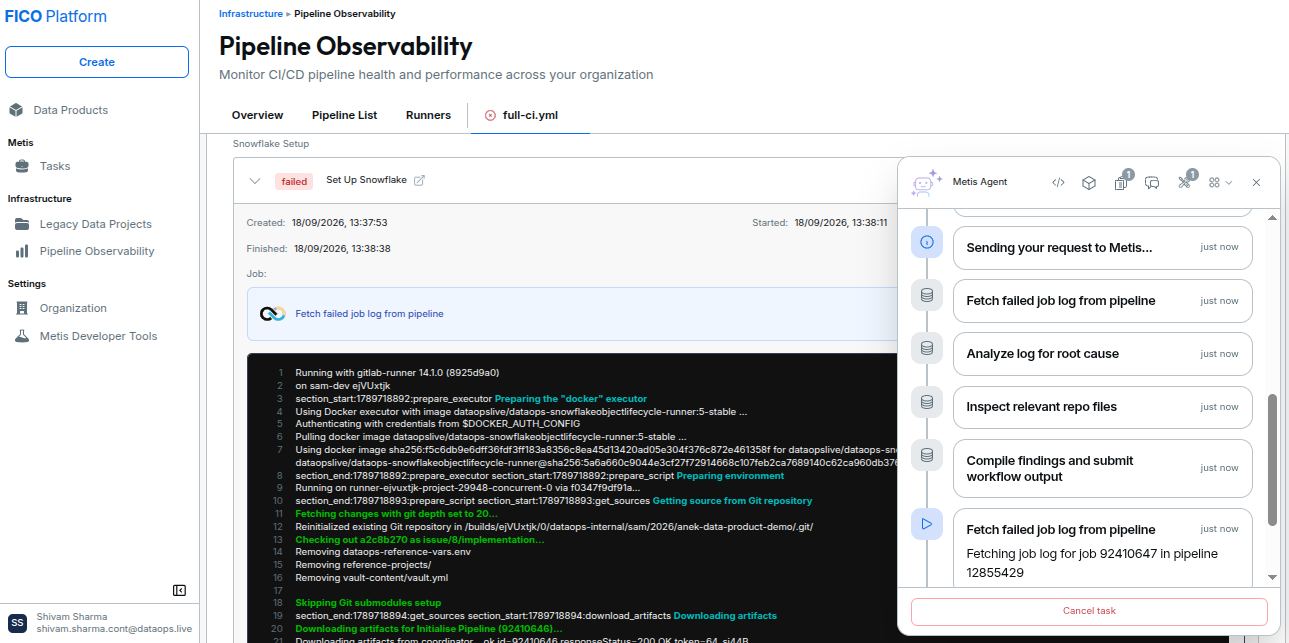
Metis starts analyzing the selected job. During the analysis, it fetches the pipeline job log, identifies the root cause, inspects relevant model and test files, and summarizes the findings.
Once the analysis is complete, Metis Job Analysis displays the identified root cause and actionable recommendations to help troubleshoot and resolve the pipeline failure.
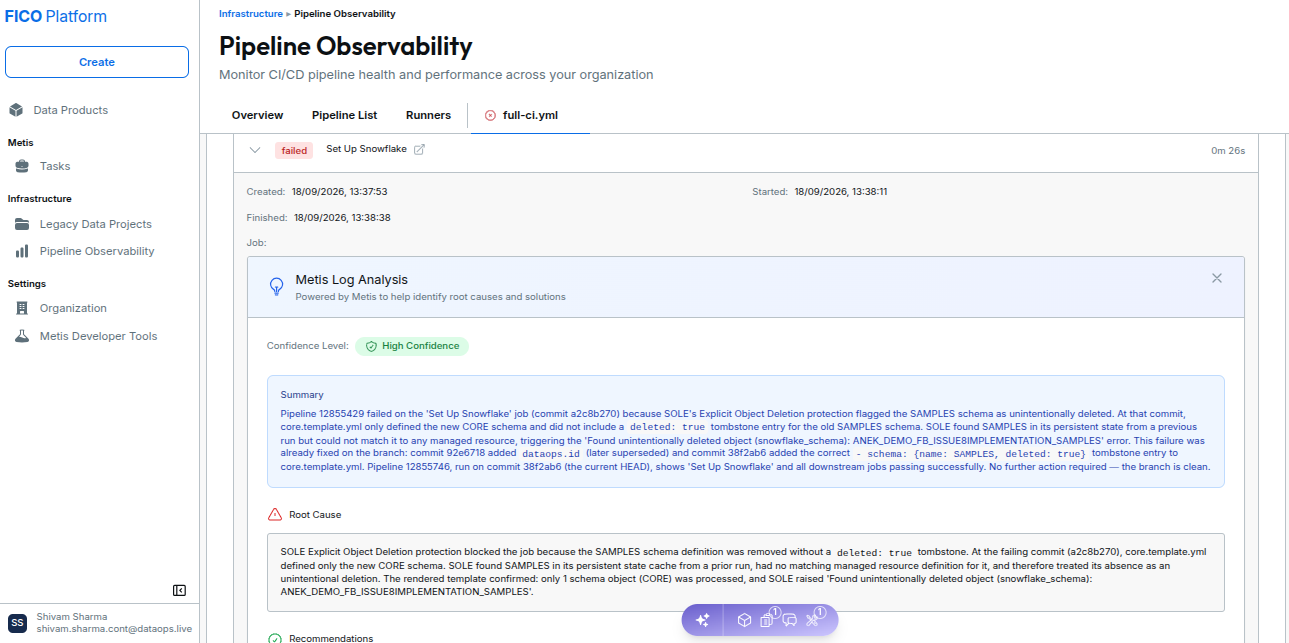
The analysis may also include Related Issues and recommended changes to the relevant project files.
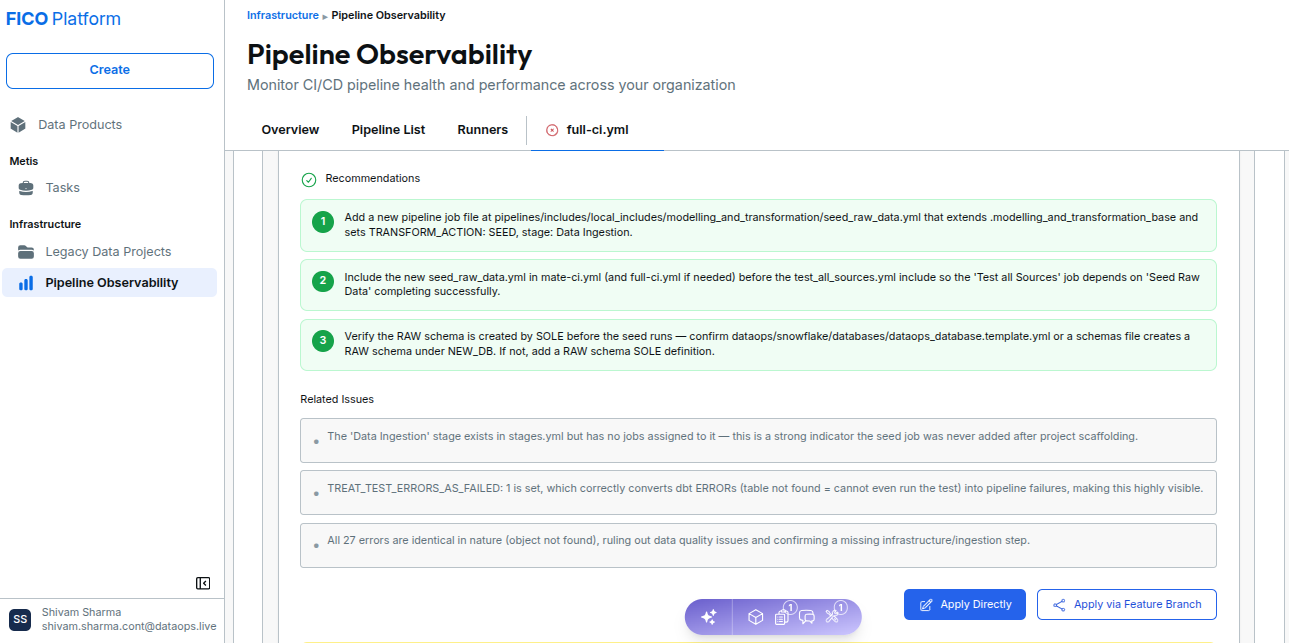
After reviewing the recommendations, users can choose to Apply Directly or Apply via Feature Branch.
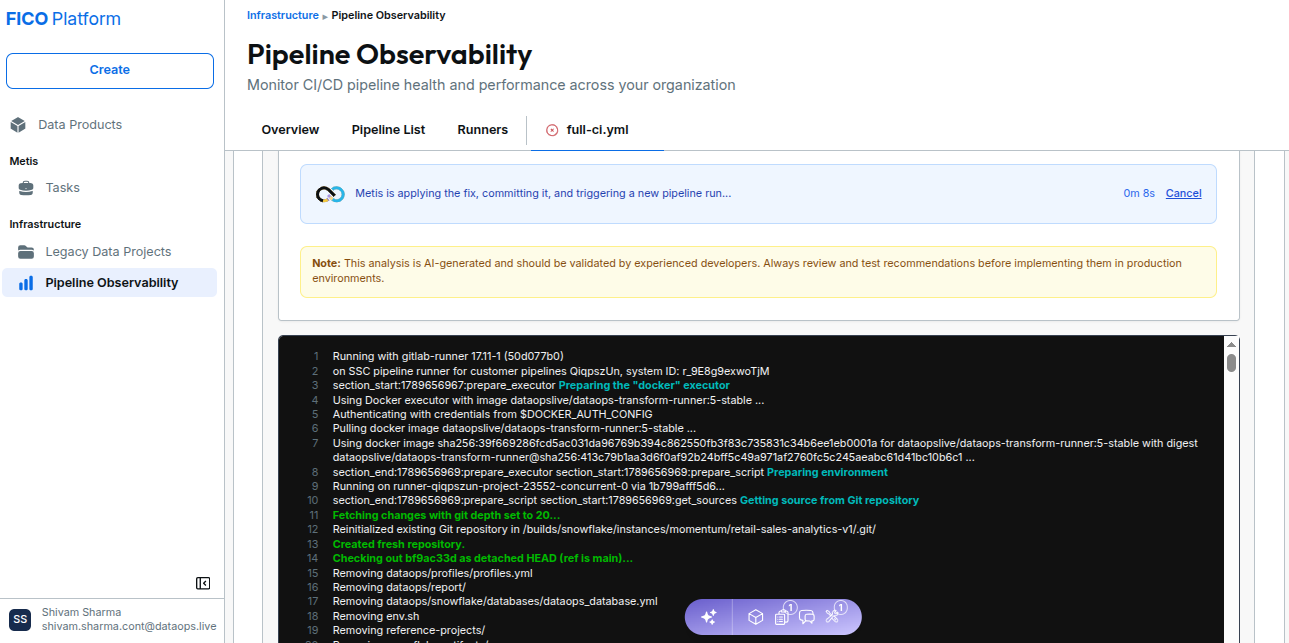
When a fix is applied, Metis can apply the changes, commit them, trigger a verification pipeline to validate the fix, and provide an option to the user to View merge request.
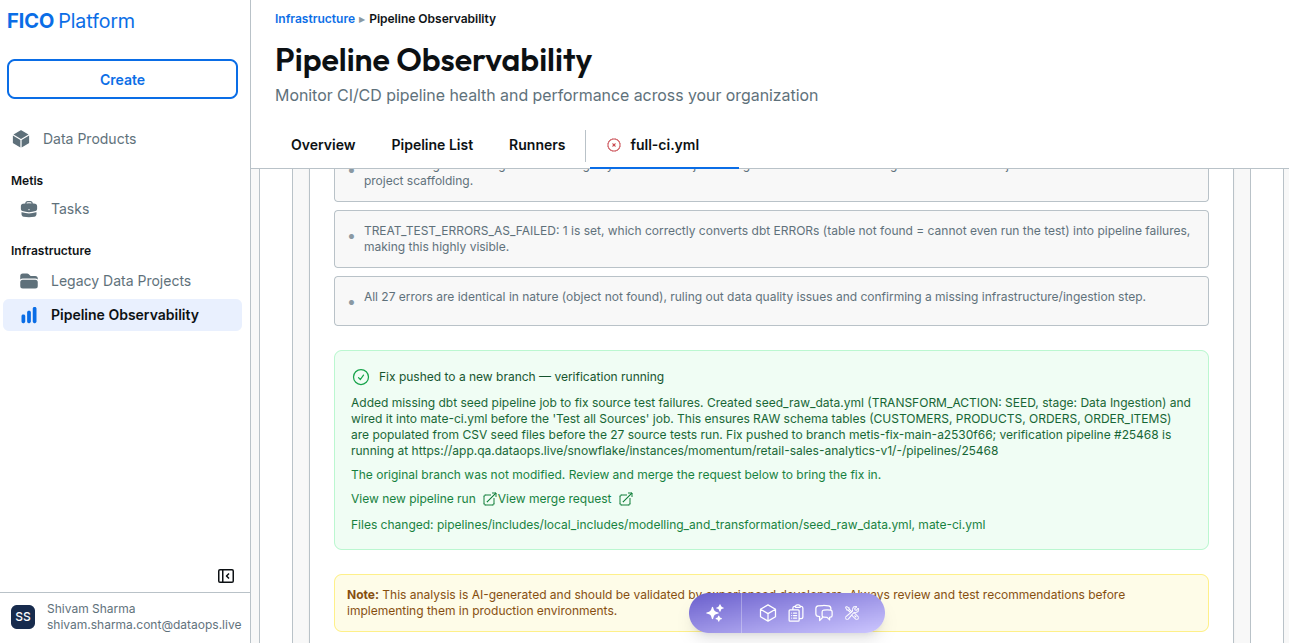
AI-generated analysis should be carefully reviewed and validated by experienced developers. Recommendations should always be reviewed and tested before being implemented in production environments.