Pipeline Resolution
Pipeline Resolution provides a structured workflow for investigating and resolving failed pipelines in the Momentum platform.
It combines pipeline observability with Metis AI-assisted analysis to help identify the cause of a failure, locate the relevant files, review the recommended resolution, apply the fix, and validate the result.
Pipeline Resolution Workflow
The resolution process follows four main stages:
| Stage | Purpose | Key Actions |
|---|---|---|
| Detect | Identify the failed pipeline and start the resolution process. | Open the failed pipeline and select the resolution workflow. |
| Diagnose | Understand why the pipeline failed. | Analyze the failure with Metis, fetch the failed job logs, and identify the root cause. |
| Resolve | Apply the recommended solution to the project. | Identify candidate files, review the proposed fix, apply the changes, and commit and push the update. |
| Validate | Confirm that the issue has been successfully resolved. | Trigger a new pipeline, review the result, and confirm that the pipeline completes successfully. |
Pipeline Resolution works alongside Pipeline Observability and Metis to provide an end-to-end workflow for resolving pipeline failures.
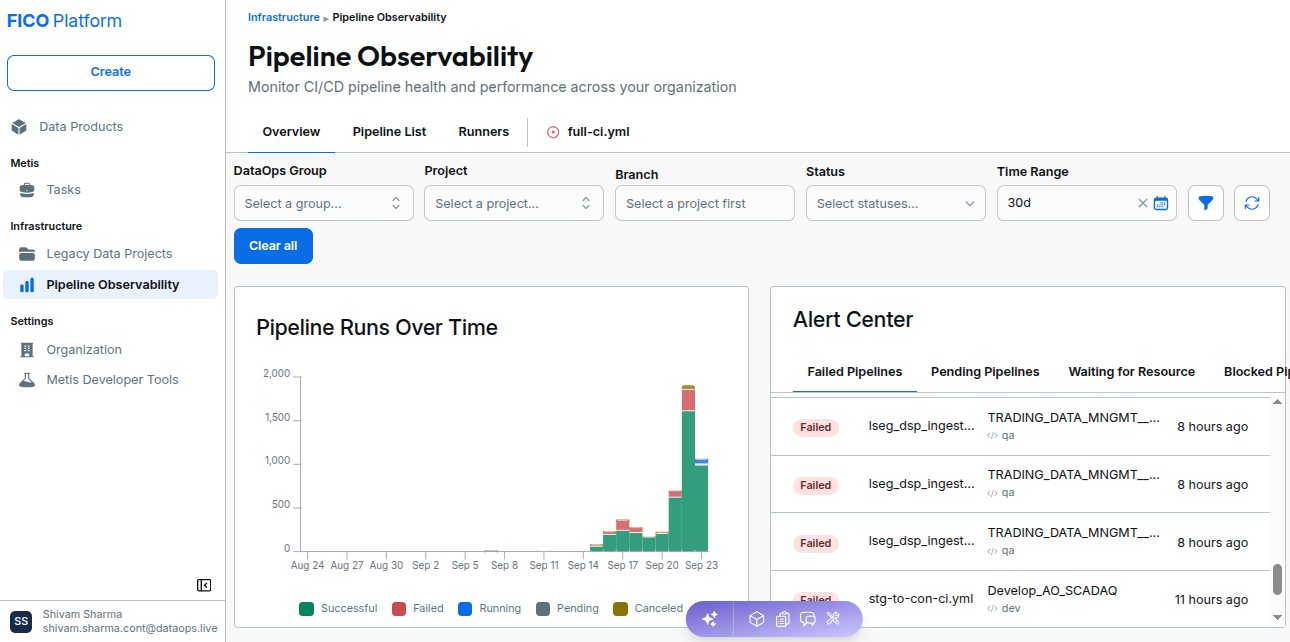
Pipeline Resolution Actions
The following actions are available as part of the resolution workflow.
| Action | Description |
|---|---|
| Analyze Job with Metis | Starts AI-assisted analysis for the failed pipeline. |
| Fetch failed job log | Retrieves the logs associated with the failed job for further investigation. |
| Analyze failure root cause | Identifies the likely cause of the pipeline failure based on the available logs and project context. |
| Identify candidate files | Identifies the project files that may need to be changed to resolve the failure. |
| Review proposed fix | Allows the user to review the changes proposed by Metis before applying them. |
| Apply fix | Applies the recommended changes to the identified project files. |
| Commit and push | Commits the changes and pushes them to the configured source repository. |
| Trigger new pipeline | Starts a new pipeline using the updated project configuration or code. |
| Validate result | Verifies whether the new pipeline completes successfully. |
Analyze a Failed Pipeline
The resolution process starts when a pipeline fails.
1. Open the Failed Job
Open the failed pipeline from Pipeline Observability and select the appropriate failed job.
Review the job status and available execution information before starting the resolution workflow.
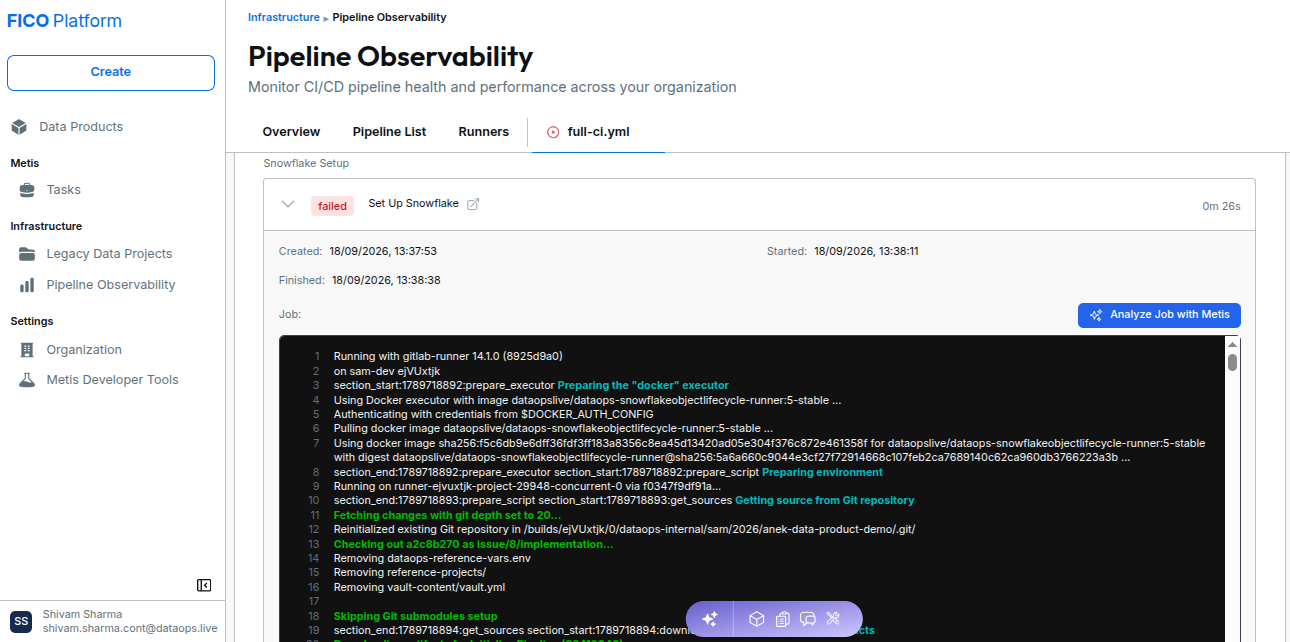
2. Analyze the Job with Metis
Use Analyze with Metis to start an AI-assisted investigation of the failed job.
Metis analyzes the available pipeline information and job logs to determine the likely cause of the failure.
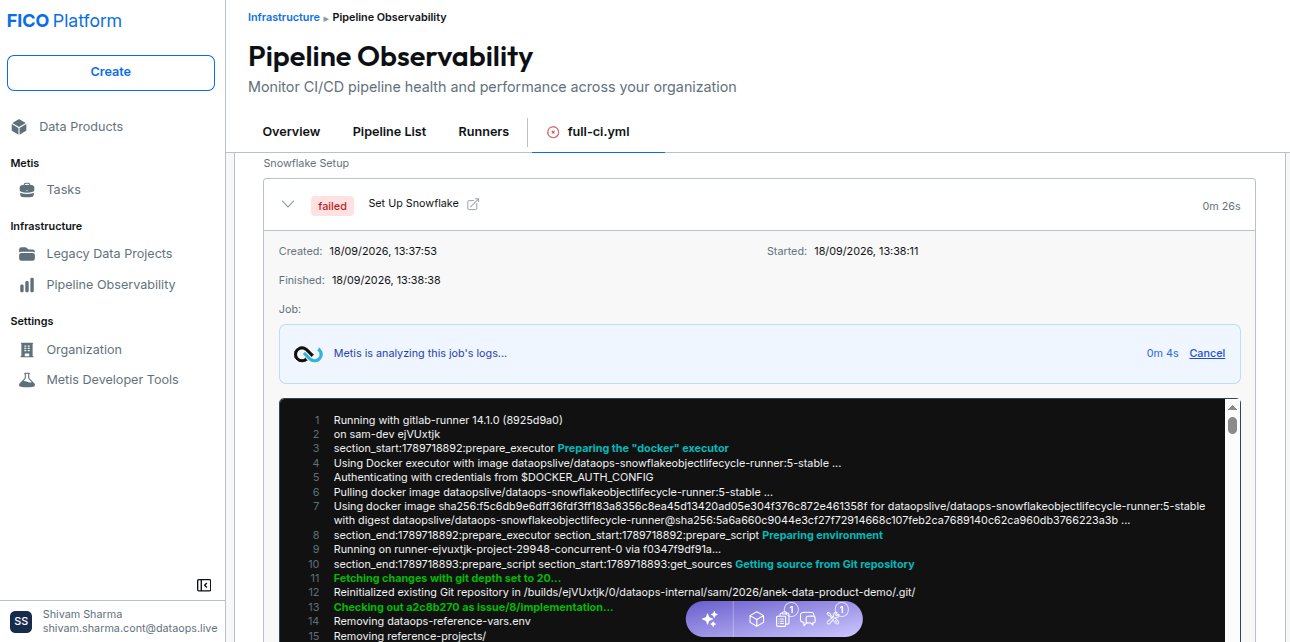
3. Fetch and Analyze the Job Log
Retrieve the failed job log and review the error information identified during the analysis.
The analysis helps determine:
- The failure message
- The likely root cause
- The affected pipeline step
- Relevant project components
- Potential files that may require changes
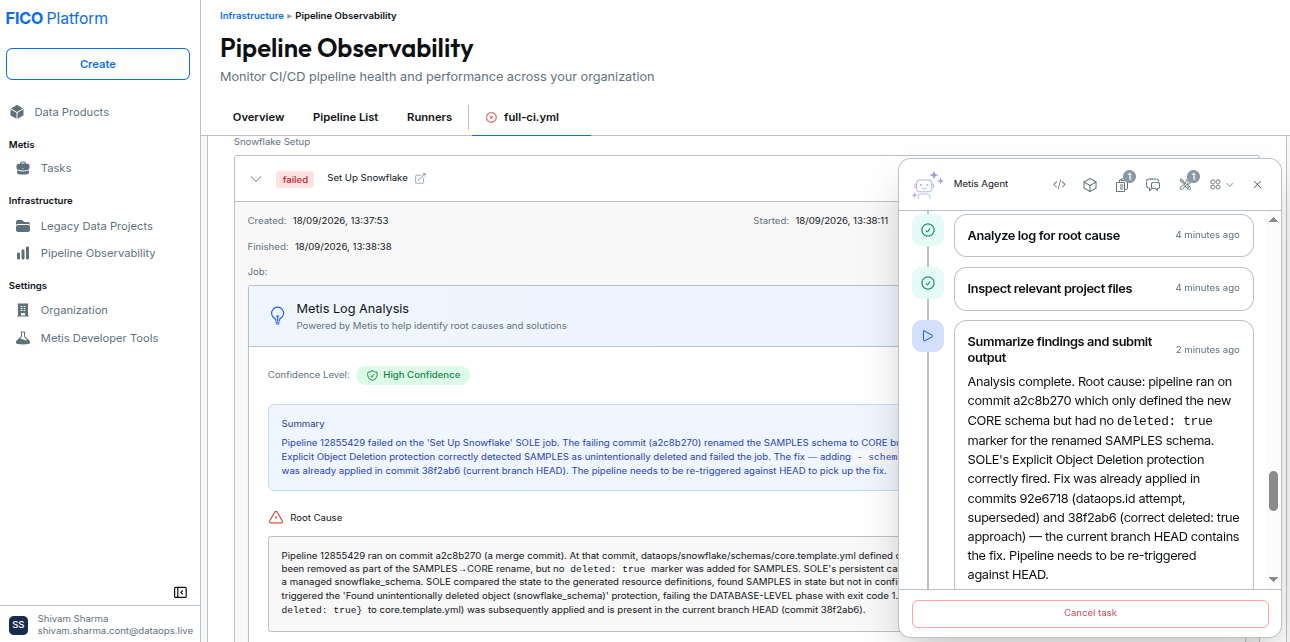
4. Review the Proposed Resolution
After analyzing the failure, Metis identifies potential files and proposes a resolution.
Review the proposed changes before applying them.
The review step allows you to verify:
- Which files will be changed
- What changes are being proposed
- How the changes address the identified root cause
- Whether the proposed resolution is appropriate for the project
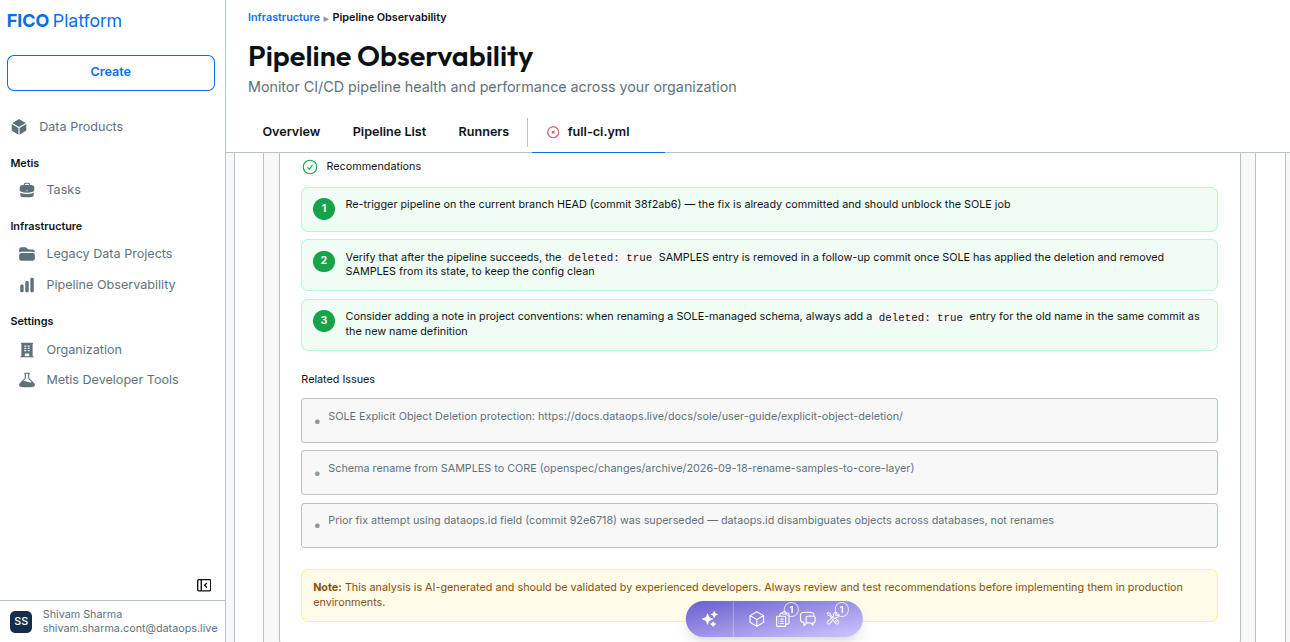
Always review the proposed changes before applying the fix, particularly when the failure affects production or shared project resources.
5. Apply the Recommended Fix
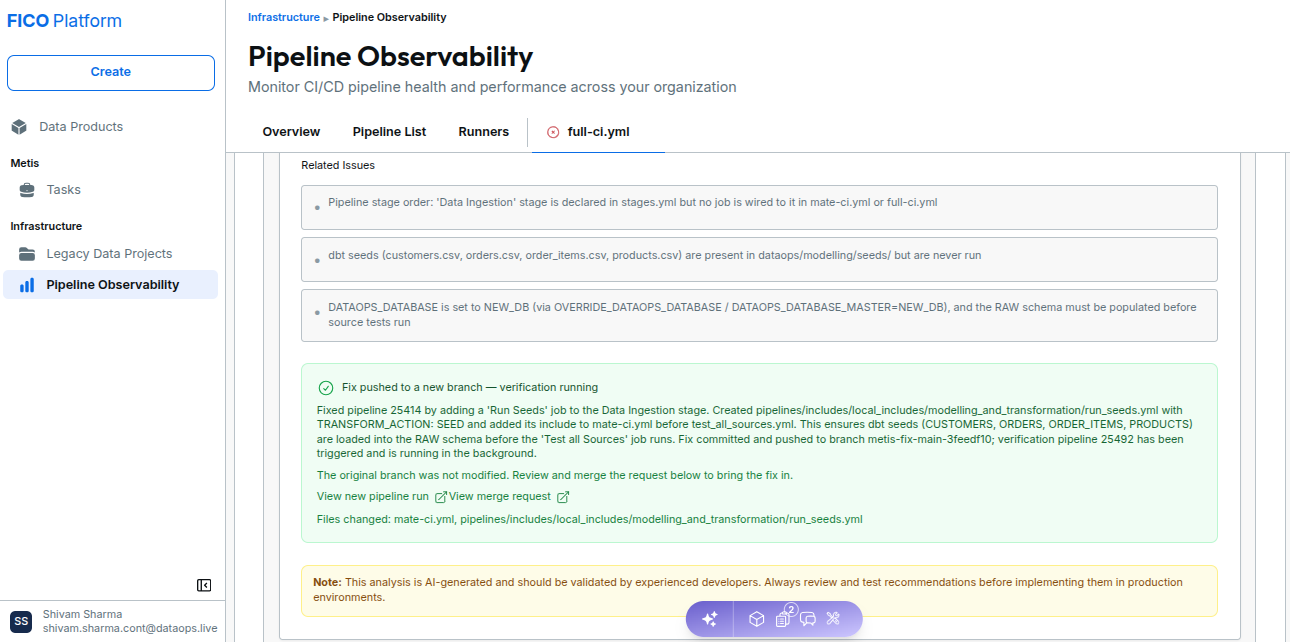
After reviewing the proposed resolution and confirming that the changes are correct, users can choose to Apply Directly or Apply via Feature Branch.
When a fix is applied, Metis can apply the changes, commit them, trigger a verification pipeline to validate the fix, and provide an option to the user to View merge request. This completes the pipeline resolution task.
Important Considerations
- Review proposed changes before applying them. The AI-generated recommendation should be validated against the project context.
- Check the job logs carefully. The quality of the resolution depends on the available failure information.
- Validate after applying a fix. A successful commit does not necessarily mean that the pipeline issue has been resolved.
- Review the new pipeline execution. Confirm that the original failure no longer occurs.
Pipeline Resolution is intended to assist with investigation and remediation. Users should review and validate proposed changes before applying them to project code or configuration.