Legacy Data Projects
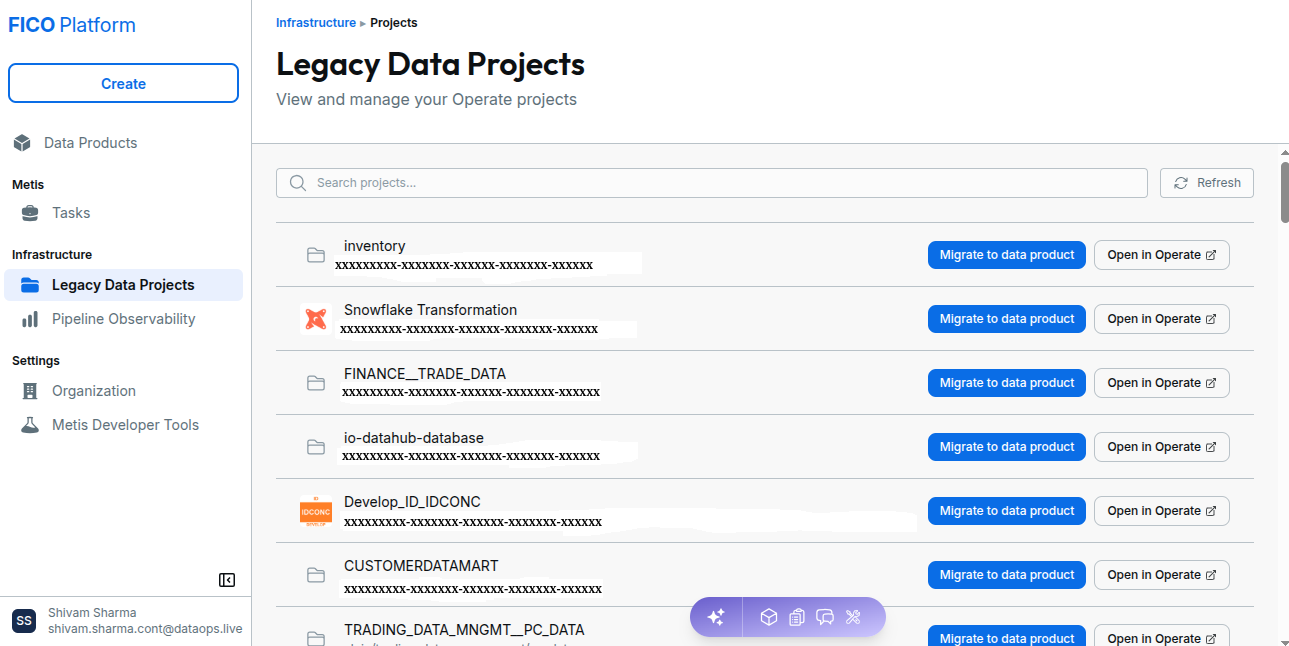
The Data Projects page provides a centralized view of the projects available in the Momentum platform.
From this page, users can:
- View available Operate projects.
- Search for a specific project.
- Refresh the project list.
- Open a project in Operate.
- Migrate an eligible project to a Data Product.
Access Projects
To access the Projects page:
- Open the Momentum platform.
- From the left navigation menu, select Infrastructure.
- Select Legacy Data Projects.
The Data Projects page displays the projects available to the current user.
Project List
Projects are displayed in the project list with information and actions available for each project.
Each project entry can include:
| Element | Description |
|---|---|
| Project icon | Identifies the project. |
| Project name | Displays the name of the project. |
| Project path | Displays the location of the project in the Momentum environment. |
| Migrate to data product | Starts the process of converting an eligible project into a Data Product. |
| Open in Operate | Opens the selected project in the Operate environment. |
Open a Project in Operate
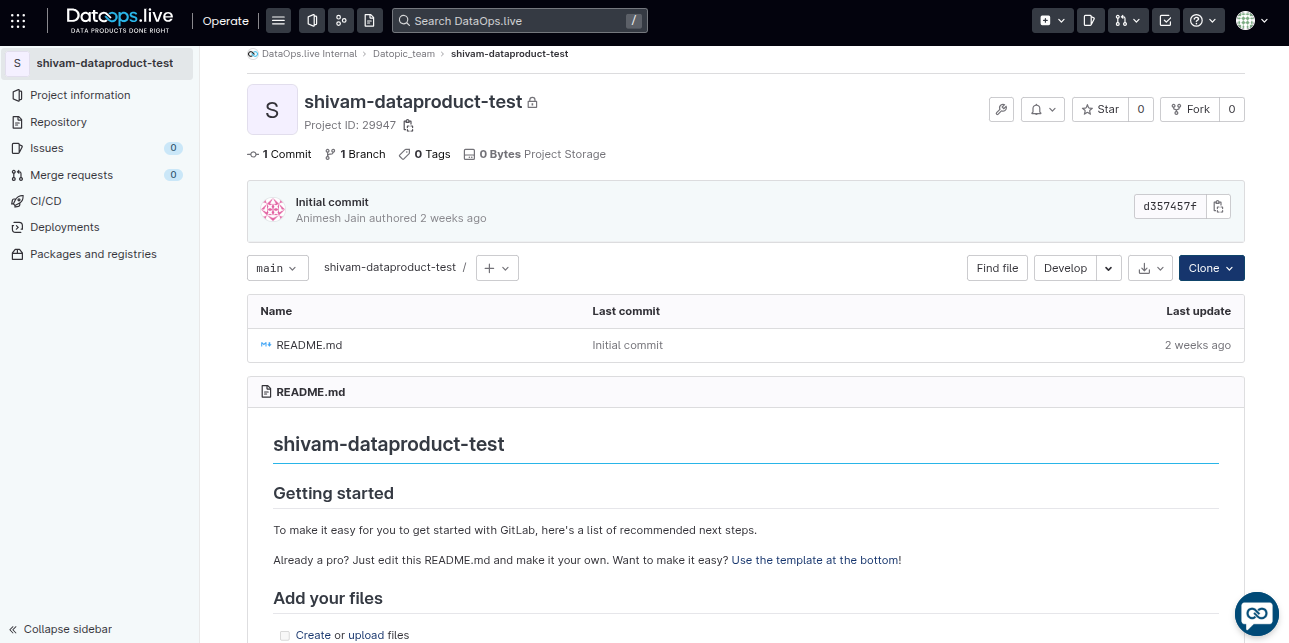
To view a project in the Operate environment, select Open in Operate for the project you want to access.
The selected project opens in Operate, where you can access the project details and available project options.
Migrate a Project to a Data Product
Eligible projects can be converted into Data Products from the Infrastructure Legacy Data Projects page.
Select Migrate to data product for the project you want to convert. Metis then guides you through the migration process, including reviewing changes, creating a merge request, validating the pipeline, and reviewing the generated Data Product.
For the complete migration process, see the detailed guide: