Create Flow
Create Flow helps you create a new Data Product using Metis.
You can describe the Data Product you want to create using natural-language instructions. Metis analyzes your requirements and project context to help generate the required implementation.
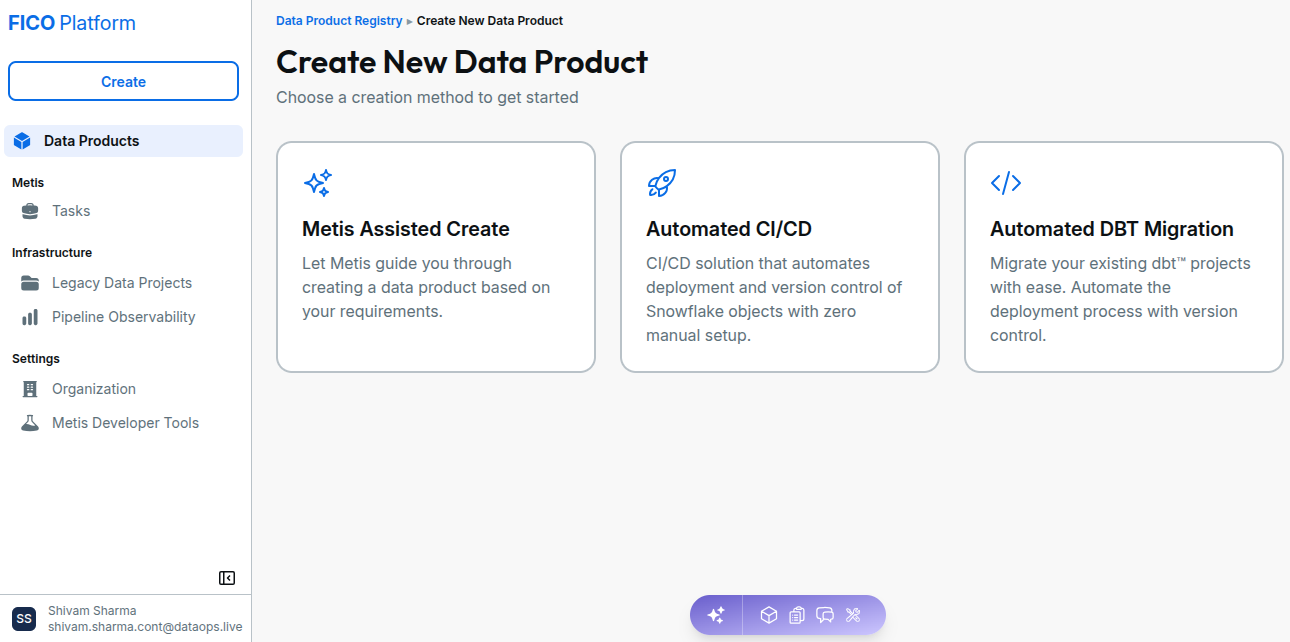
Create Flow Overview
The Create Flow provides a guided experience for creating a Data Product:
- Start a new Create Flow request.
- Describe the Data Product requirements.
- Metis analyzes the requirements and project context.
- Review the generated implementation.
- Apply the generated changes.
- Validate the implementation.
- Submit the changes for review.
Creating a Data Product
When describing your requirement, provide as much relevant information as possible, including:
- Purpose of the Data Product
- Required data sources
- Expected transformations
- Required outputs
- Business rules or logic
- Any specific project requirements
Use clear and specific instructions when describing the Data Product you want to create. The more context you provide, the better Metis can understand your requirements and generate a relevant implementation.
Metis Assisted Create
For a more guided Data Product creation experience, you can use Metis Assisted Create.
Metis Assisted Create takes you through the Data Product creation process step by step, including:
- Defining the Data Product requirements
- Selecting data sources
- AI-assisted planning
- Reviewing the generated specification
- Generating the Data Product
- Reviewing the created Data Product
- Running the Data Product pipeline
For detailed instructions, see the Metis Assisted Create guide.