GitHub Mirror
GitHub Mirror allows you to mirror GitHub repositories into your Momentum workspace. You can search for available repositories, enable mirroring for a repository, and monitor the synchronization status from a centralized interface.
Navigate to Settings → GitHub Mirror to access the GitHub Mirror page.
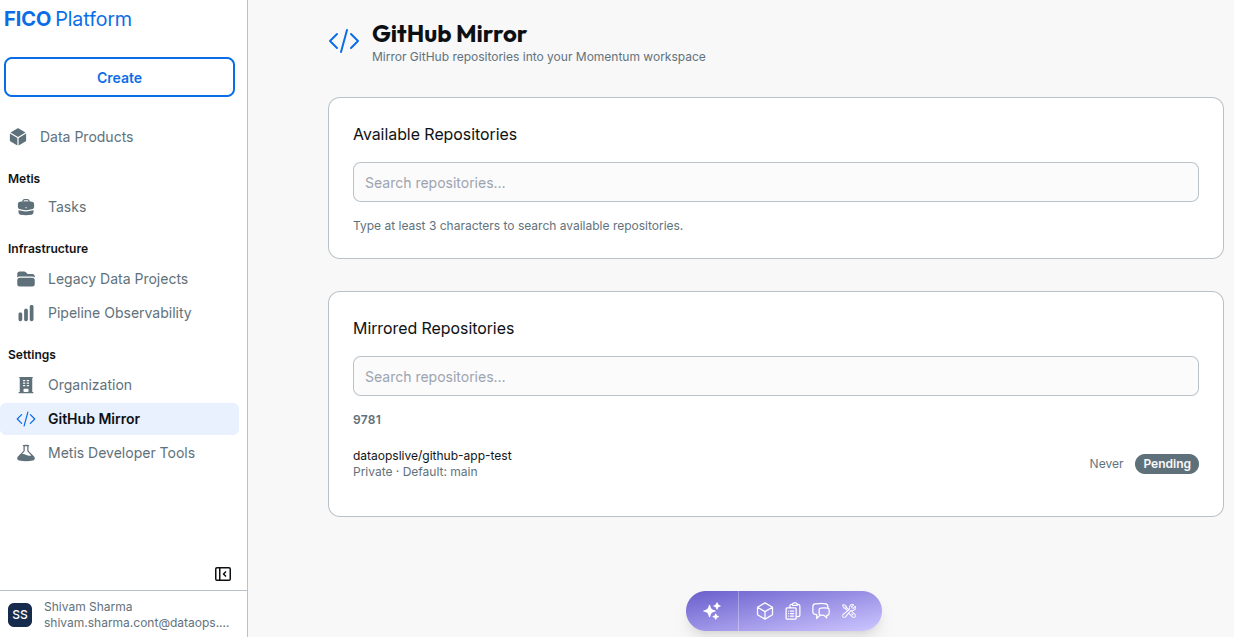
Available Repositories
The Available Repositories section displays GitHub repositories that are available to be mirrored into Momentum.
You can search for a repository using the Search repositories field. Enter at least three characters to search for available repositories.
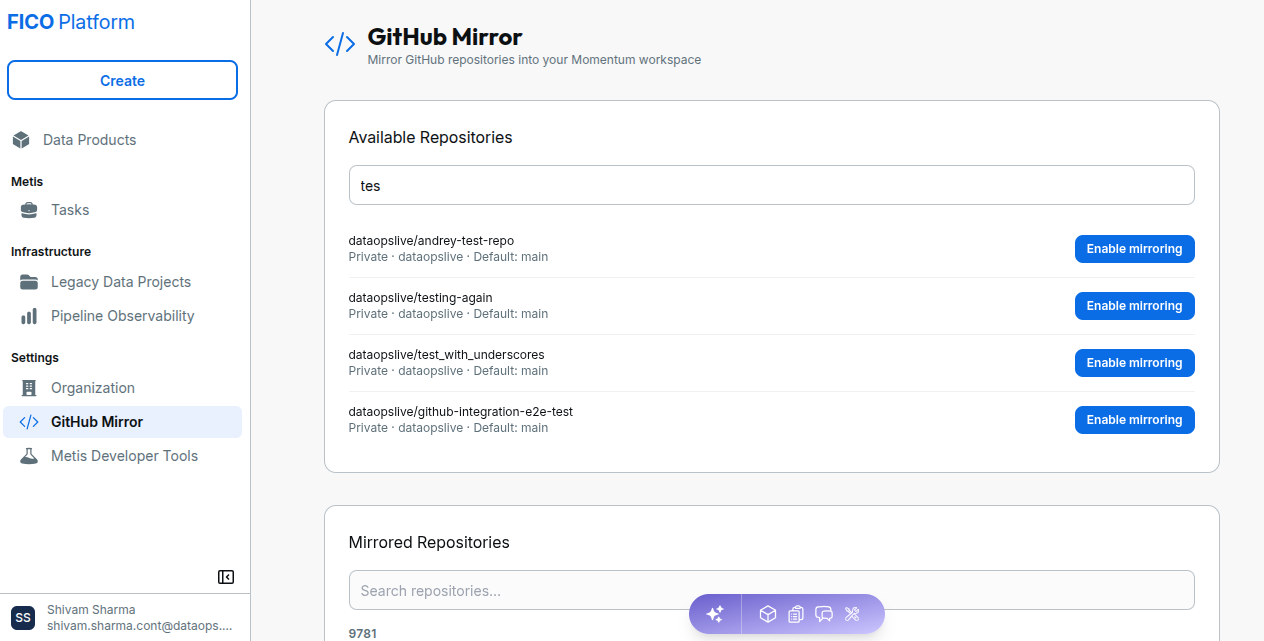
Each matching repository displays information such as:
- Repository name.
- Repository visibility.
- GitHub organization or owner.
- Default branch.
Enable Mirroring
To enable mirroring for a GitHub repository, search for the repository in Available Repositories and select Enable mirroring.
Once mirroring is enabled, the repository is added to the Mirrored Repositories section where you can monitor its synchronization status.
The repository must be available in the Available Repositories section before mirroring can be enabled.
Mirrored Repositories
The Mirrored Repositories section displays repositories that have been enabled for mirroring.
You can search the list using the Search repositories field.
Each mirrored repository displays information such as:
- Repository name.
- Source GitHub repository.
- Visibility.
- Default branch.
- Last synchronization information.
- Current mirroring status.
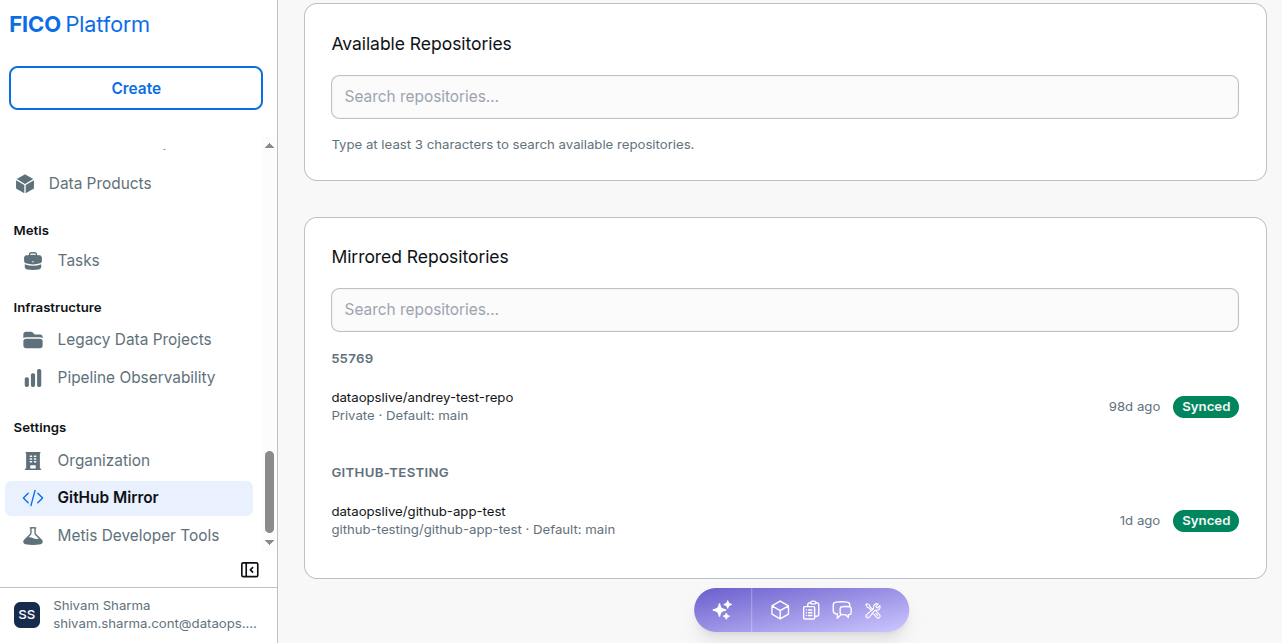
Mirroring Status
| Status | Description |
|---|---|
| Pending | Mirroring has been enabled, but synchronization has not yet completed. Never may be displayed when the repository has not completed its first synchronization. |
| Synced | The mirroring process has completed successfully. The interface also displays the time since the last successful synchronization. |
Use the Mirrored Repositories section to verify that a repository has reached the Synced status after enabling mirroring.
GitHub Mirror Workflow
The GitHub Mirror workflow is:
- Open Settings → GitHub Mirror.
- Search for the required repository in Available Repositories.
- Select Enable mirroring.
- The repository is added to Mirrored Repositories with its current synchronization status.
- Monitor the repository until it displays Synced.
Once the repository is synchronized, it is available as a mirrored repository in your Momentum workspace.