Organizations
The Organization is the top-level workspace in Momentum where Data Products, pipelines, agents, and team members are managed. Organization access is controlled through roles, which determine the actions members can perform.
The Organization Settings allows users to view their organization, invite members, and manage member roles.
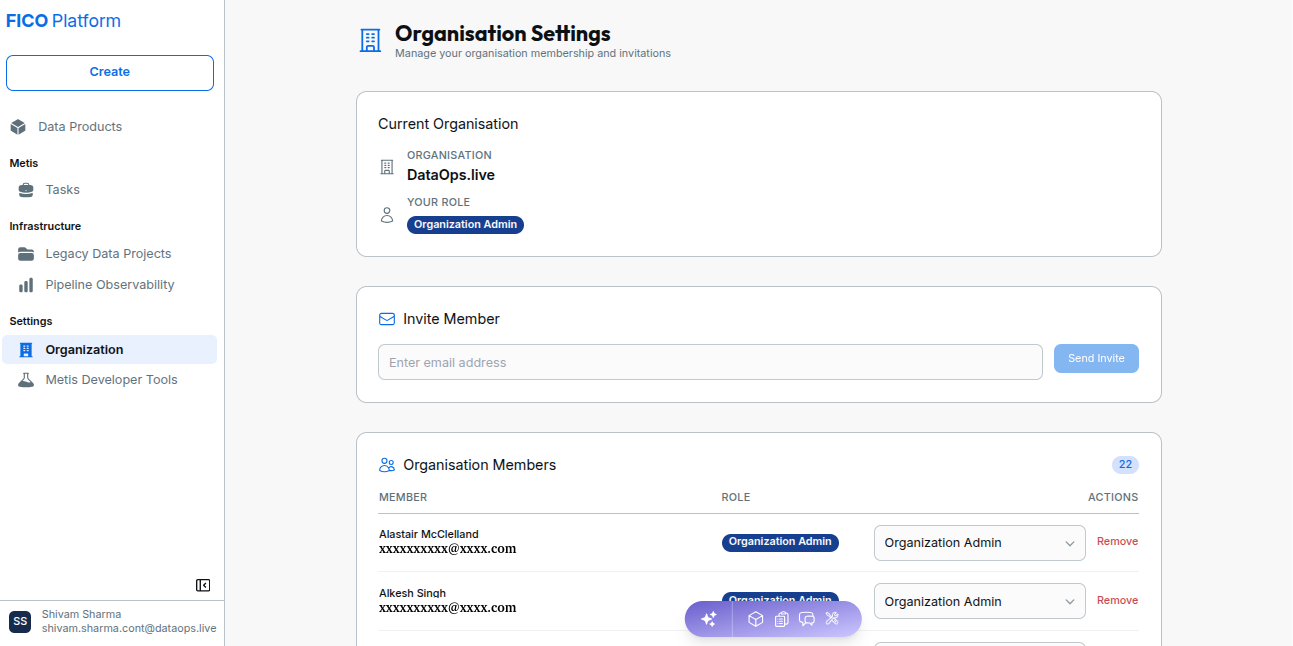
Manage Your Organization
The Organization Settings page displays your current organization and assigned role, and allows users with the required permissions to invite new members.
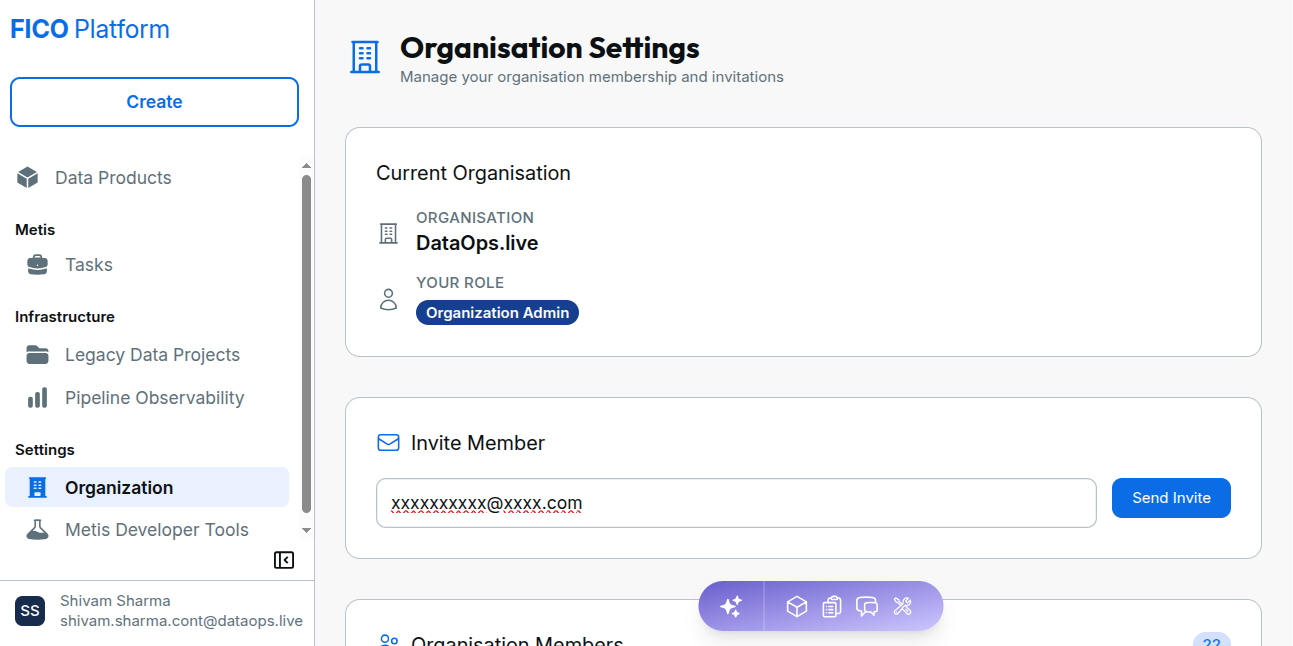
Organization Types
Momentum supports the following organization types:
| Organization Type | Description |
|---|---|
| Personal | Automatically created when a user does not yet belong to a team organization. |
| Team -- SSO | Membership is managed through an Identity Provider such as Okta or Azure AD. Users join automatically through SSO. |
| Team -- non-SSO | Membership is managed through invitations sent by organization administrators. |
A personal organization is automatically created when a user signs in without an existing team organization. It is cleaned up when the user joins a team organization.
Organization Members
The Organization Members section displays the members of the current organization, their assigned roles, and available actions.
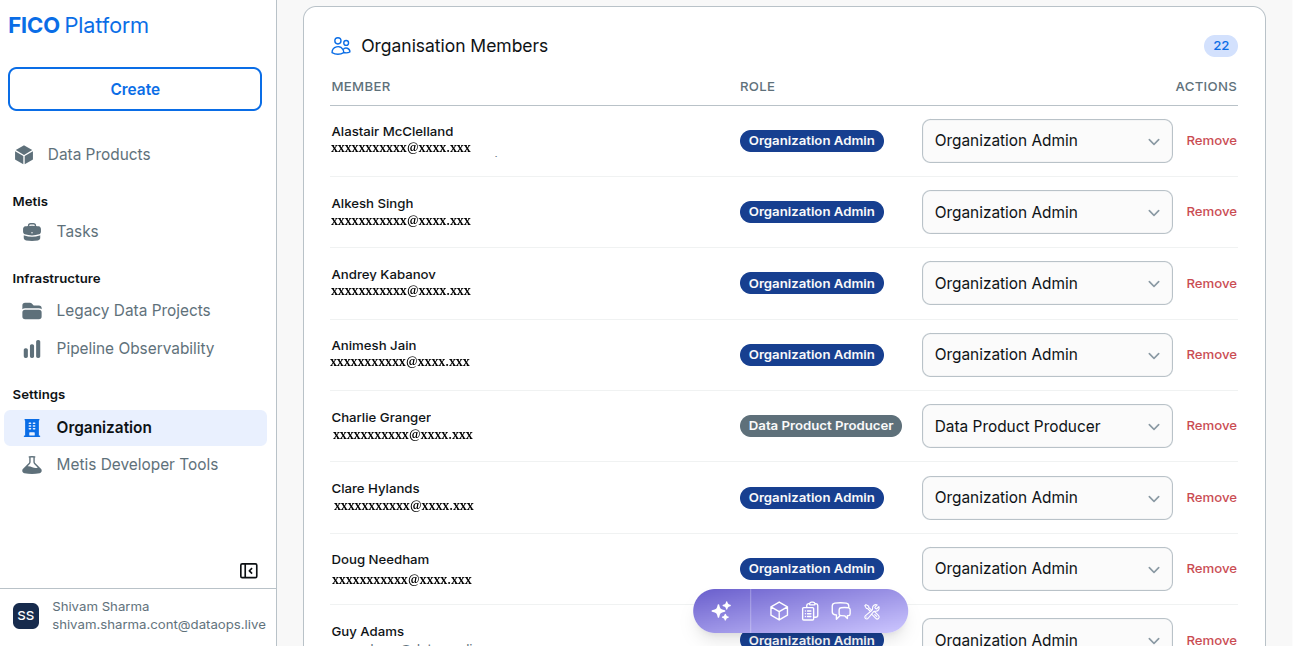
Authorized users can:
- View organization members and their roles.
- Change a member's role.
- Remove a member from the organization.
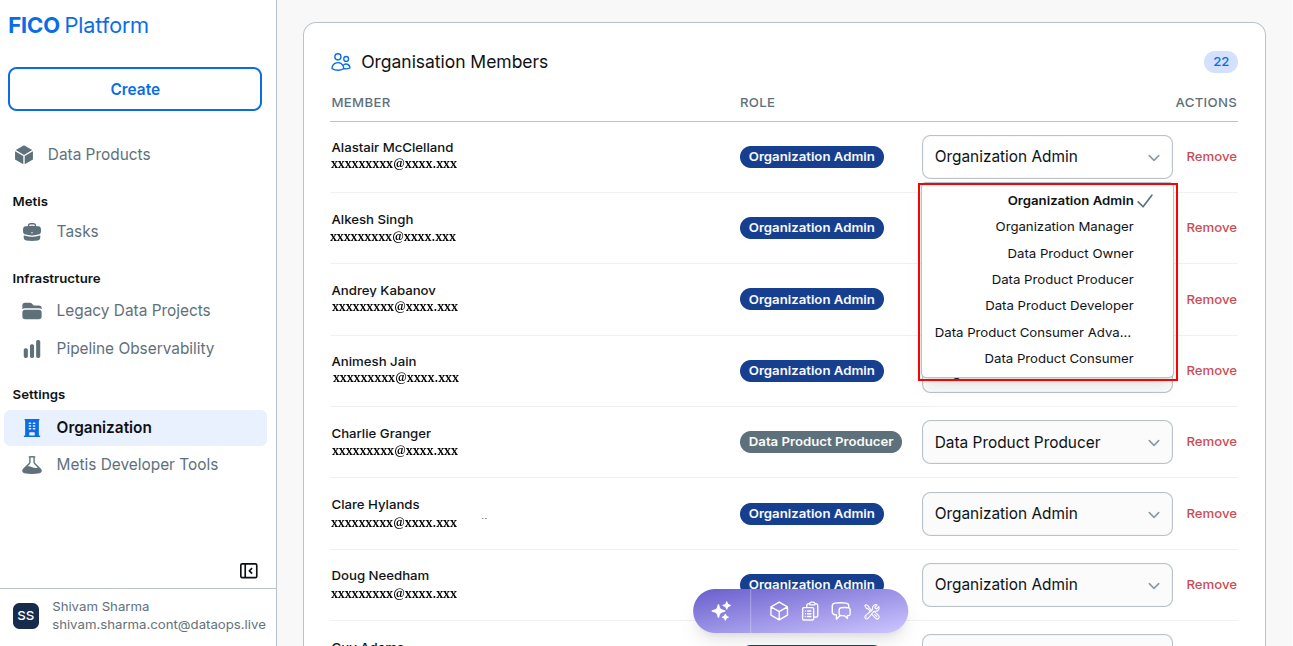
Organization Roles
Each organization member is assigned one role. Roles have different permission levels, with higher levels providing broader access.
| Role | Permissions |
|---|---|
| Organization Admin | Manage organization settings, members, roles, Snowflake accounts, Data Products, pipelines, and agents. |
| Organization Manager | Manage members and roles, and access Data Products and pipelines. Cannot change organization settings or manage Snowflake accounts. |
| Data Product Owner | Create, edit, publish, and delete Data Products; manage pipelines; view Snowflake. |
| Data Product Producer | Create, edit, and publish Data Products and pipelines. |
| Data Product Developer | Create and edit Data Products and pipelines. |
| Data Product Consumer Advanced | View Data Products, pipelines, and Snowflake. |
| Data Product Consumer | View Data Products only. This is the default role when accepting an invitation without a pre-assigned role. |
Role Capabilities
The following table summarizes the minimum role required for common actions:
| Action | Minimum Role |
|---|---|
| View Data Products | Data Product Consumer |
| View pipelines and Snowflake | Data Product Consumer Advanced |
| Create and edit Data Products | Data Product Developer |
| Publish Data Products | Data Product Producer |
| Delete Data Products | Data Product Owner |
| Invite and remove members | Organization Manager |
| Assign roles | Organization Manager |
| Change organization name | Organization Admin |
| Manage Snowflake accounts | Organization Admin |
Manage Members
In Organization Members, authorized users can change member roles or remove members.
- To change a role, open the member's role dropdown and select the required role.
- To remove a member, select Remove and confirm the action, if prompted.
You cannot assign a role at or above your own level or remove yourself. Removing a member revokes their organization access, while their Data Products and pipelines remain in the organization.
You cannot remove yourself or a member whose role level is equal to or higher than your own.
Organization Settings
Organization Admins can manage organization-level settings.
Navigate to Settings, select Organization, and manage the organization name and other organization settings.