Pipeline Debugging
Analyze logs with AI
The Momentum platform displays logs for both successful and failed pipeline runs. For failed runs, it provides AI-assisted analysis to help you debug issues and identify the root cause. The AI analysis also includes a confidence score that indicates how confident the system is in its error diagnosis.
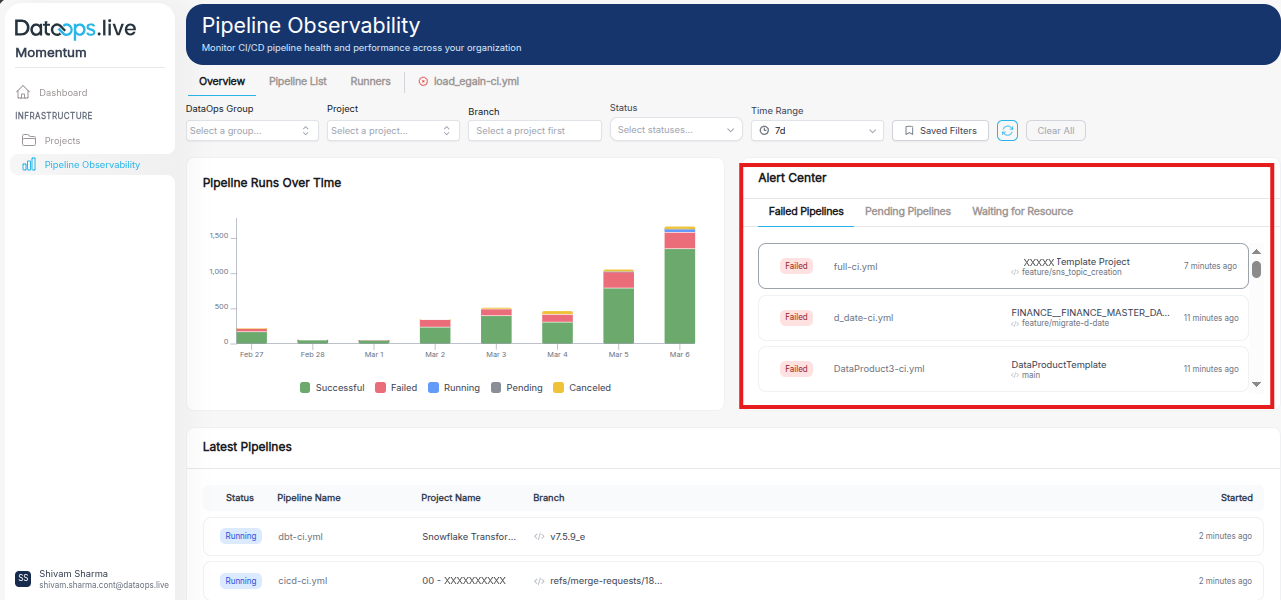
Click on any failed pipeline.
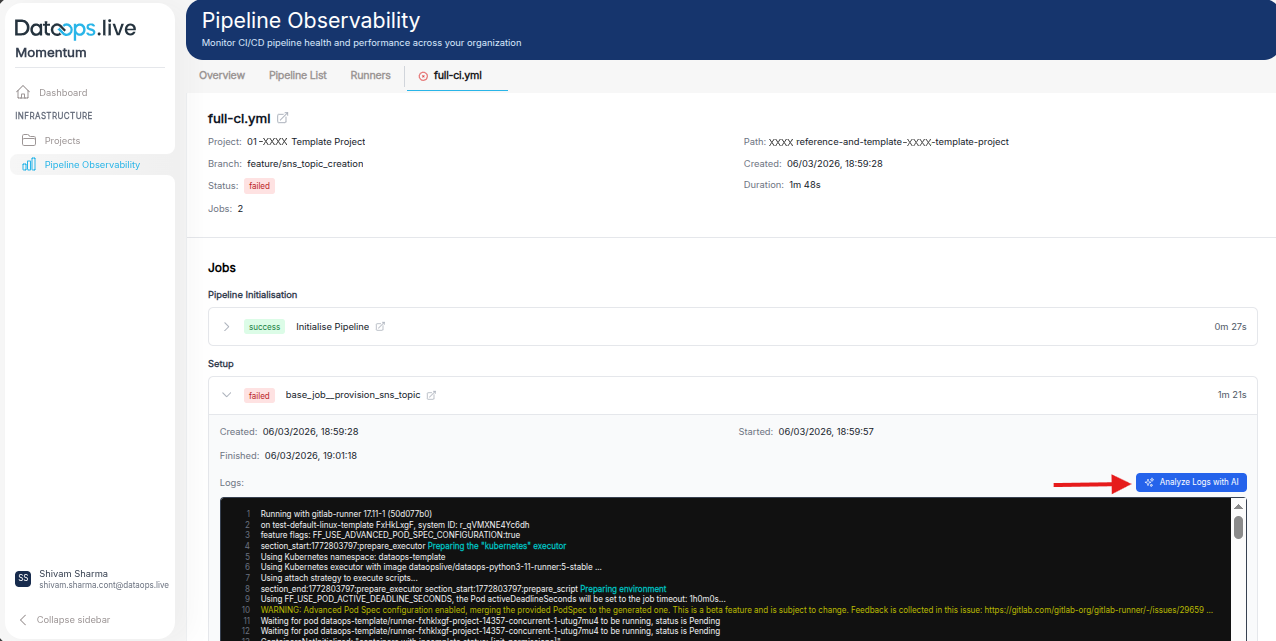
Scroll down to the failed job and click the button “Analyze logs with AI”
It generates a root cause analysis and actionable recommendations, as shown in the images below.
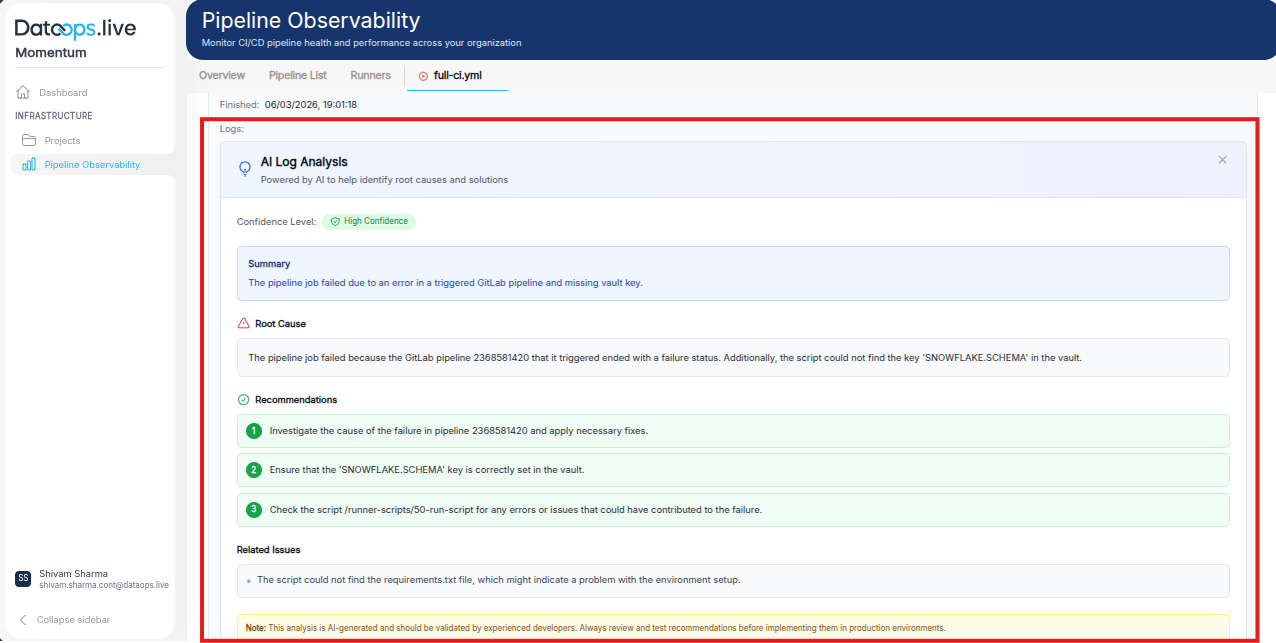
The AI Log Analysis feature for pipeline debugging automatically analyzes pipeline logs to identify failure causes, highlight root issues, and provide actionable recommendations to help users quickly troubleshoot and resolve pipeline errors.