DataOps CLI
The DataOps CLI (Command-Line Interface) makes it easy for users to interact and manage DataOps-related functionalities through command-line operations on our data product platform.
The DataOps CLI supports a few tools that help you:
- Generate a YAML configuration for SOLE objects from existing DDL statements. Check the SOLE Generator documentation for more information.
- Generate help for data product modules and available commands for SOLE and MATE when you work within the DataOps development environment. Check the DataOps development environment CLI commands topic for more information.
Prerequisites
Before installing the DataOps CLI, make sure you have the following prerequisites installed on your machine:
Installing DataOps CLI
Once you have the prerequisites, you can then install the DataOps CLI tool similarly to any other Python package.
Step 1 - Create a personal access token
Create a personal access token (PAT) that you will use to gain access to the CLI package.
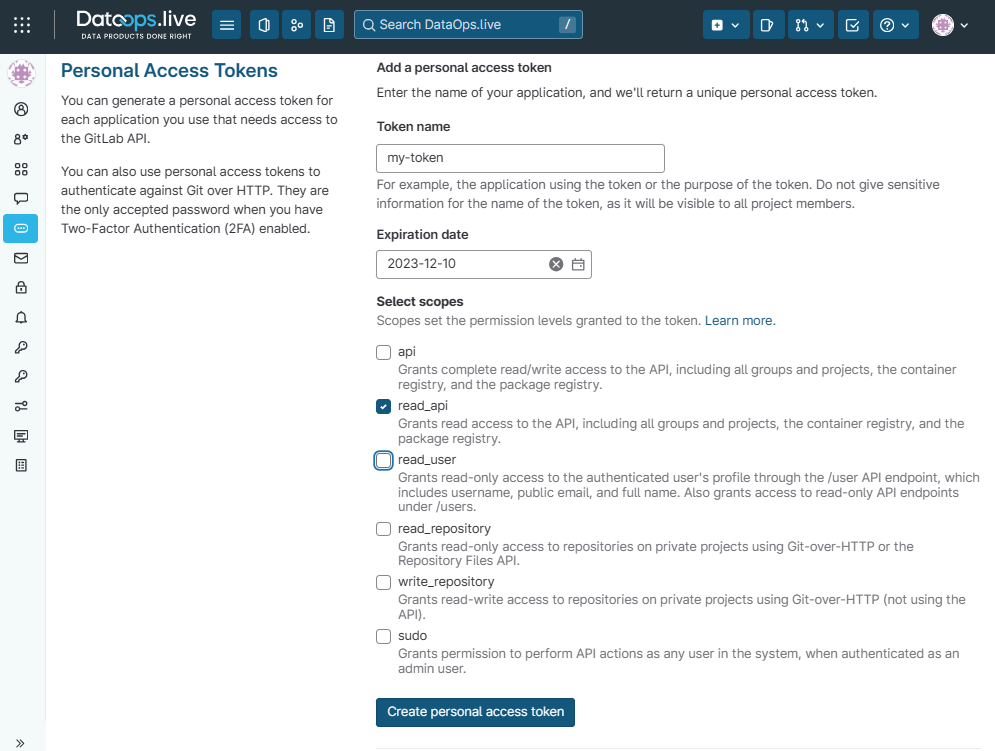
Token nameis a friendly name to remind you of its purpose, for exampledataops-pypi.Expiration dateis optional.-
Select scopesare the permissions you are allowing for the new token. -
Select the checkbox of the following required scope:
read_api. - Create the token by clicking Create personal access token.
The page refreshes, and a new token shows at the top.
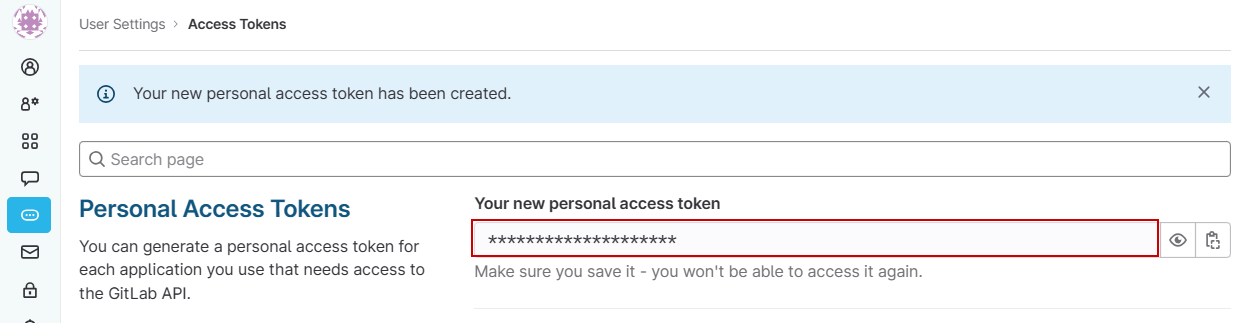
- Make a copy of the token in a secure place.
!!! warning
   This is the only time you see this token. When you navigate away
   from this page, the token will not reappear.
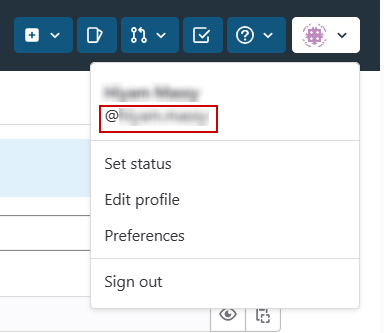
- Get your username from your account menu in the top right of DataOps.live. Your username doesn't include the
@symbol.
Step 2 - Set up your Python environment
- Add the two credentials into your terminal environment so that they are available during configuration:
- (Optionally) If you do not want to install
dataops-cliglobally on your machine, create a Python virtual environment before activating it:
- Add the DataOps.live package repository by updating your "pip" configuration:
pip config set global.index-url https://$DATAOPS_USERNAME:$DATAOPS_PAT@app.dataops.live/api/v4/projects/5844/packages/pypi/simple
The pip config set command adds the configuration you describe to your pip
configuration file (usually located in your home directory).
- Install the package using pip:
!!! info "Running into errors?"
   For `401` errors, check your `DATAOPS_USERNAME` and `DATAOPS_PAT` credentials
   are correct. For other issues, consider reaching out to our [Support team](../support/index.md)
   with a copy of the error.
- To confirm that the installation was successful, try showing the
--helpor--version:
This should give you a brief description of the available options for the DataOps CLI, as shown in the image below:
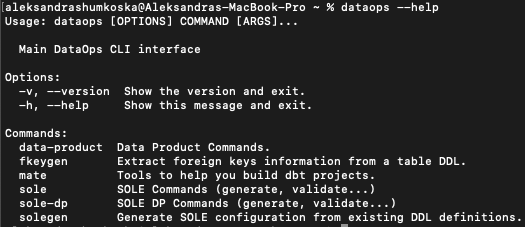
Use the help menu to discover the tools available.
- (Optionally) If you do not want to install
dataops-cliglobally on your machine, create a Python virtual environment before activating it:
- Add the DataOps.live package repository by updating your "pip" configuration. You must substitute the two credentials from "Step 1" in the command below:
python3 -m pip config set global.index-url https://DATAOPS_USERNAME:DATAOPS_PAT@app.dataops.live/api/v4/projects/5844/packages/pypi/simple
The pip config set command adds the configuration you describe to your pip configuration file, usually located in your home directory.
- Install the package using pip:
!!! info "Running into errors?"
   For `401` errors, check your `DATAOPS_USERNAME` and `DATAOPS_PAT` credentials
   are correct. For other issues, consider reaching out to our [support team](../support/index.md)
   with a copy of the error.
- To confirm that the installation was successful, try showing the
--helpor--version:
This should give you a brief description of the available options for the DataOps CLI, as shown in the image below:
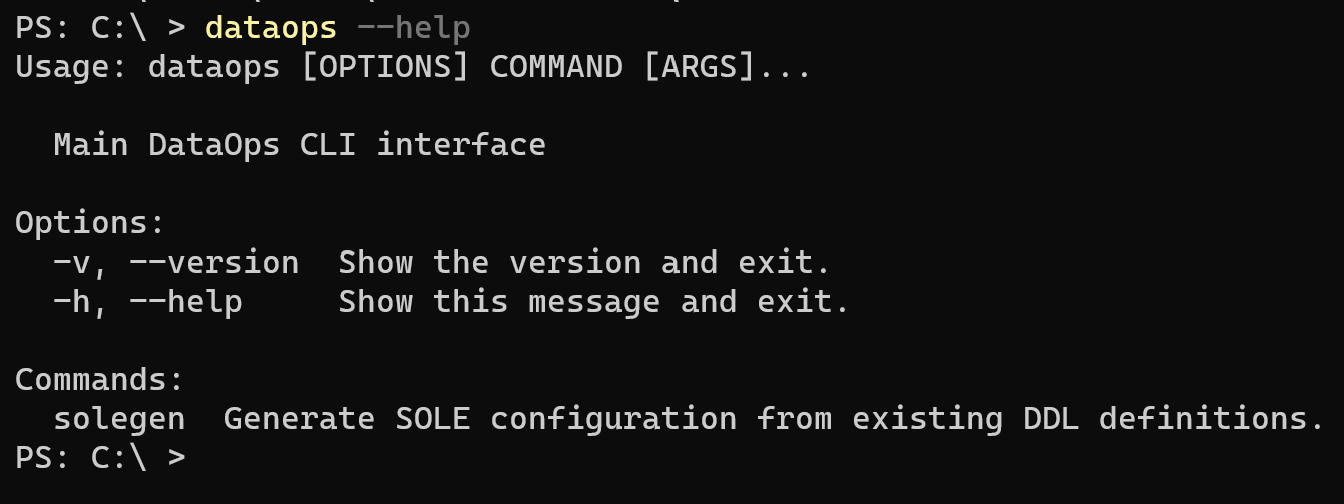
Use the help menu to discover the tools available.
Once you have the DataOps CLI tool installed, you can check the separate sub-tools for more details on how to use it.
Sub-tools:
dataops sole gen --helpdataops sole-dp gen --helpdataops mate --helpdataops data-product --help
Step 3 - Install command-line autocomplete (optional)
After you have installed the dataops-cli, you can optionally install the
command-line autocomplete helper. Only currently works for bash/zsh/fish
shells.
Autocomplete for the dataops-cli lets you use the TAB key to complete
commands and options. For example, you could type: dataops - and press TAB
to see additional options:

Continuing to press TAB will cycle through the options, highlighting the next,
pre-filling your command line:

- Install the command-line autocomplete by using the
dataops-autocompletecommand, automatically installed when installing thedataops-cli. For example, you can install autocomplete forzshusing the following:
This adds a line to your shell file to load into your shell environment.
!!! info "important"
   Follow the onscreen instructions or start a new terminal to enable
   autocomplete.
Uninstalling DataOps CLI
To uninstall the dataops-cli tool, use pip commands:
Did you install command-line autocomplete?
To uninstall autocomplete, remove the added DATAOPS-AUTOCOMPLETE line in your
shell file:
- For
bashshell users, look in your~/.bashrc - For
zshshell users, look in your~/.zshrc
fish shell users must remove .config/fish/completions/dataops.fish.
Creating a Python virtual environment
To install the necessary package for a Python virtual environment on an Ubuntu system:
- Run the script:
For more information about installing Python packages, see Creation of virtual environments.
- Give a name to the directory where to install the virtual environment, for example,
dataops-test.
- Activate the virtual environment by running:
DataOps development environment CLI commands
The commands below are accessible only within the DataOps development environment.
Data product
This command prints the help for the data products module, e.g., check, builds and checks for backward compatibility, and viewer which opens a new window displaying manifest visualization enriched with dbt run data.
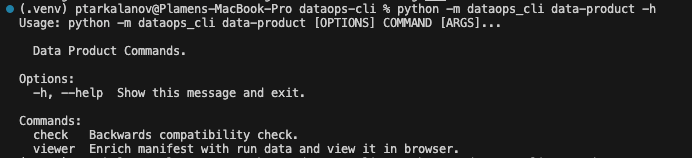
For more information about data products, check the Building data product documentation.
SOLE
This command prints the help for the available commands for SOLE, e.g., gen and validate.
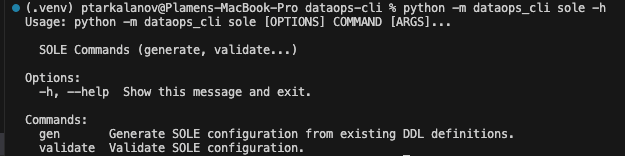
For more information about the sole validation, check the SOLE compilation and validation documentation.
SOLE-DP
This command prints the help for the available commands for SOLE-DP, e.g., gen.
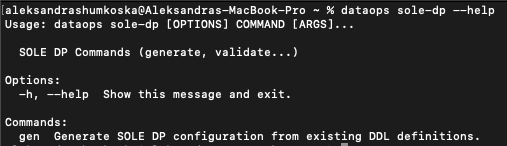
For more information about the usage of sole-dp gen, check the SOLE Generator documentation.
MATE
This command prints the help for the available MATE commands, e.g., model-builder and source-builder.
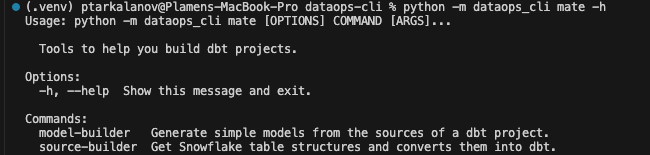
For more information regarding source and model builders, check the Generating sources for tables managed outside SOLE documentation.