How to Clone a Git Repository over HTTPS
Users can no longer use their usernames & passwords with Git over HTTPS. They must now use a Personal Access Token (PAT)
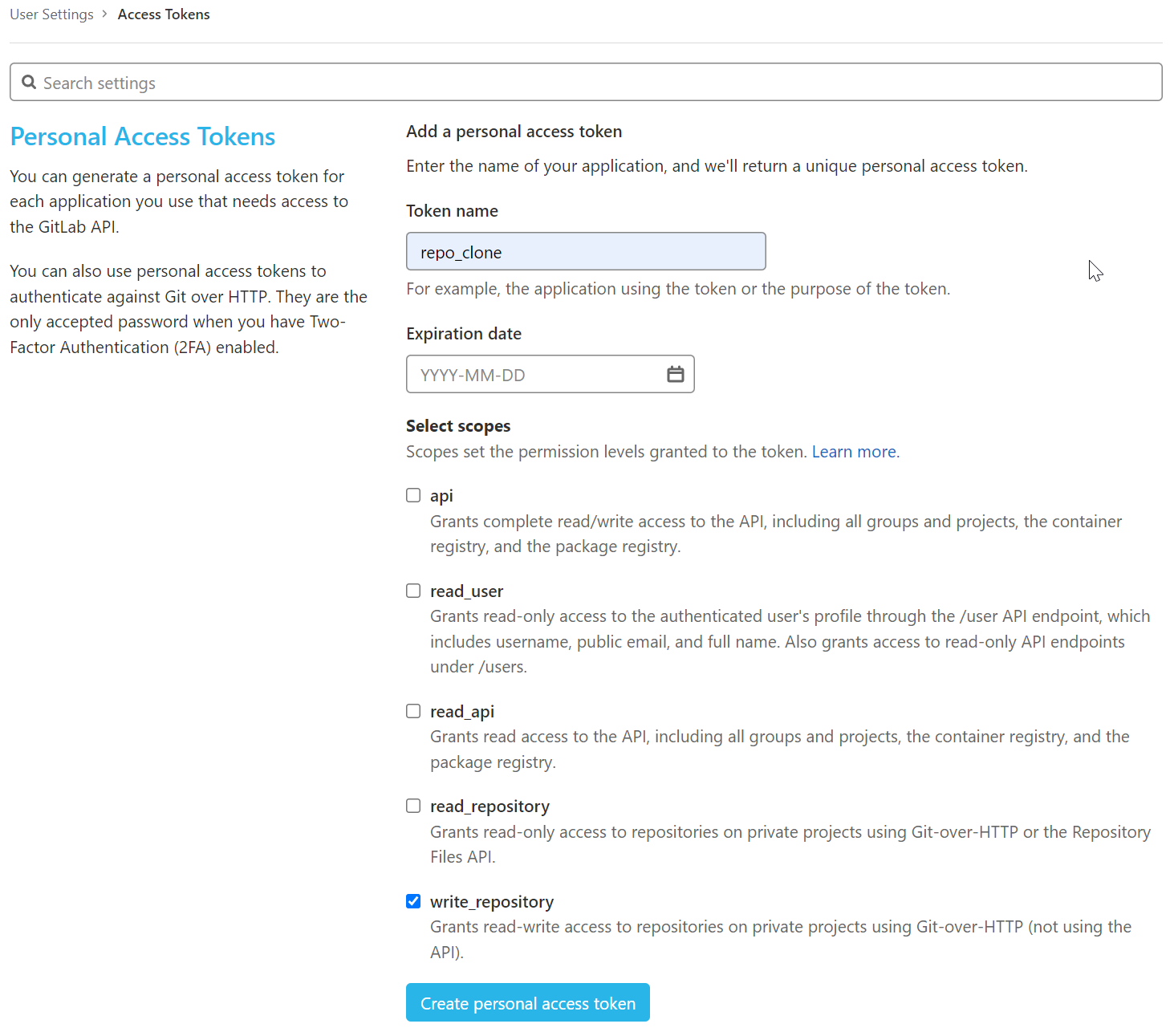
First, to create your token:
- Go to User Settings > Personal Access Tokens.
- Set Token Name to
repo_clone. - Under Select scopes, select the checkbox
write_repository.
Note down your token - you won't be able to access it again.
Second, perform your git clone operation now as follows:
# git clone https://<access-token-name>:<access-token>@/app.dataops.live/group/project.git
git clone https://repo_clone:xxxxxxxxxxxxxxxxxxxx@app.dataops.live/group/project.git
Storing Git credentials
Note that this stores the access token as plain text in the .git/config file.
To avoid this, you can use the Git credential system. To do so, alter your steps
to:
- Modify
~/.git-credentialsand add a line with the correct token.
- Perform the clone without the credentials in the URL.