Coalesce Orchestrator
Enterprise
| Image | $DATAOPS_COALESCE_RUNNER_IMAGE |
|---|
Coalesce allows you to transform Snowflake data visually with its data transformation platform and powerful development capabilities.
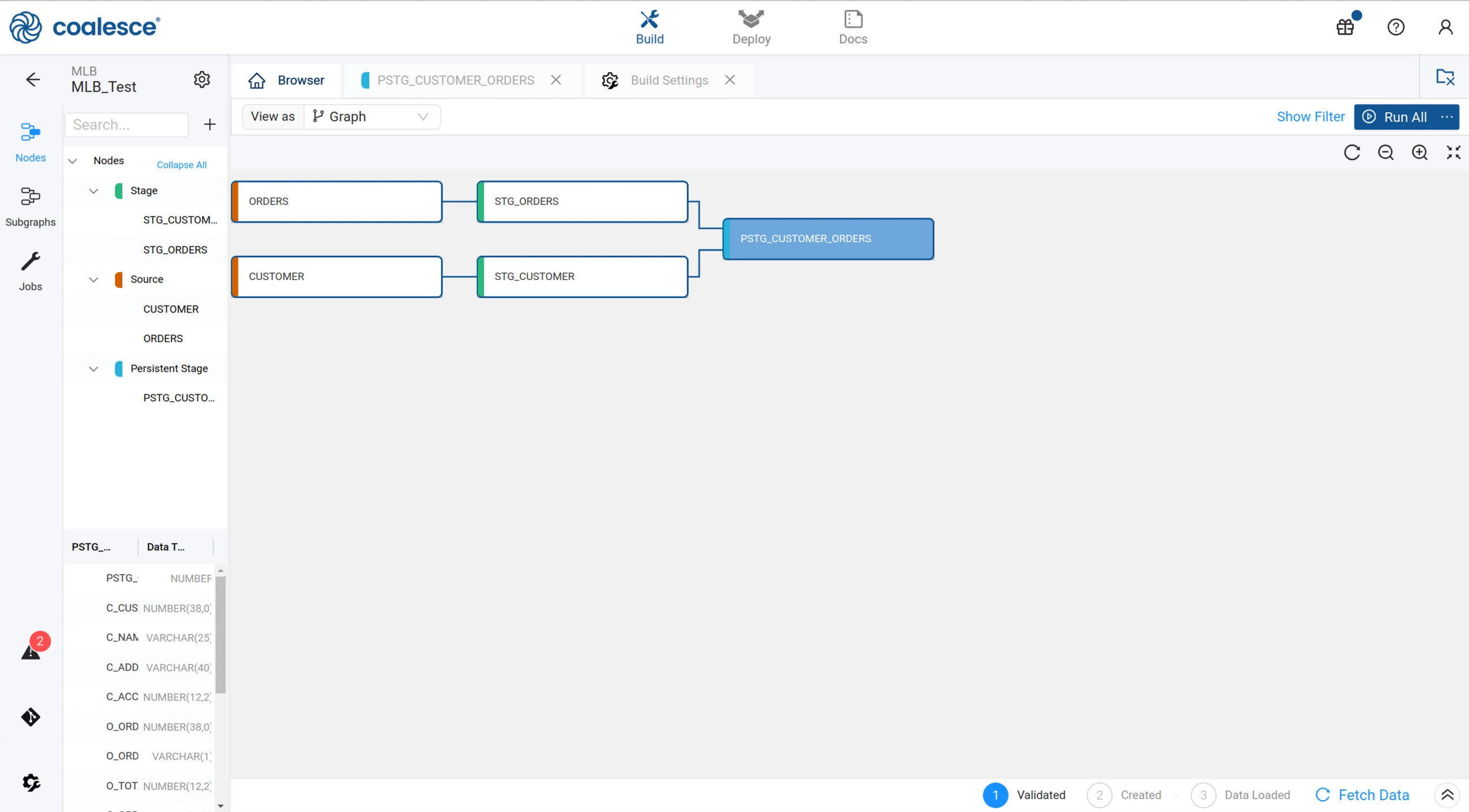
The Coalesce orchestrator triggers the refresh of a Coalesce job as part of a DataOps pipeline. This functionality makes it possible to integrate all existing Coalesce jobs into a DataOps pipeline.
Usage
The Coalesce orchestrator orchestrates Coalesce jobs via Coalesce CLI using a Coalesce token.
The orchestrator's workflow is as follows:
- It runs the
coa refreshcommand using Coalesce CLI Refresh, targeting the specified Coalesce instance. - It then polls for completion of the orchestration process.
- Finally, it propagates the Coalesce execution status to the DataOps pipeline.
My Coalesce Job:
  extends:
    - .agent_tag
  stage: "Data Transformation"
  image: $DATAOPS_COALESCE_RUNNER_IMAGE
  variables:
    DATAOPS_COALESCE_TOKEN: DATAOPS_VAULT(COALESCE.TOKEN)
    DATAOPS_COALESCE_ENVIRONMENT_ID: XXXX
    DATAOPS_COALESCE_JOB_ID: XXXX
    DATAOPS_COALESCE_SNOWFLAKE_USERNAME: DATAOPS_VAULT(XXXX)
    DATAOPS_COALESCE_SNOWFLAKE_PASSWORD: DATAOPS_VAULT(XXXX)
    DATAOPS_COALESCE_SNOWFLAKE_ROLE: DATAOPS_VAULT(XXXX)
    DATAOPS_COALESCE_SNOWFLAKE_WAREHOUSE: DATAOPS_VAULT(XXXX)
  script: /dataops
  icon: ${COALESCE_ICON}
For the orchestrator to work you need to obtain the access token, the environment id, and the job id from Coalesce:
- To generate the access token, follow these steps:
- Click on the Deploy tab at the Coalesce UI.
- Hover over Generate Access Token and copy the token that appears.
- Push the value to your secrets manager under
COALESCE.TOKENso that the job parameterDATAOPS_COALESCE_TOKENgets resolved securely during runtime. -
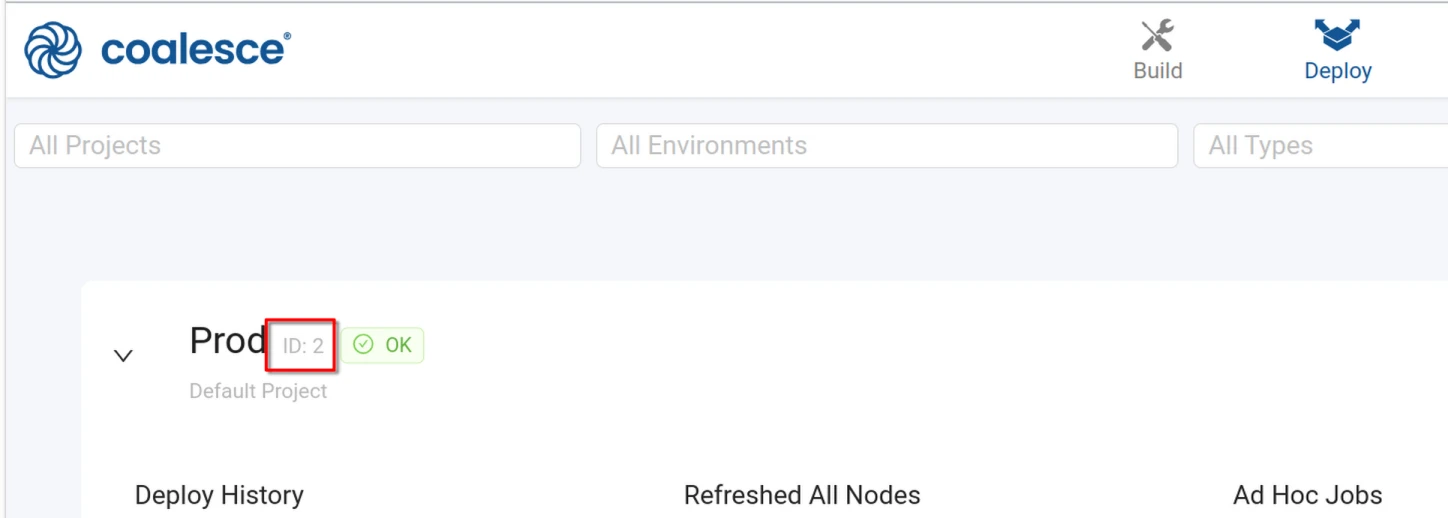
To obtain the environment id, follow these steps:
-
Click on the Deploy tab at the Coalesce UI.
- Identify your target environment, e.g. Prod
-
Copy the numerical id next to id
-
Finally, update the value of
DATAOPS_COALESCE_ENVIRONMENT_ID -
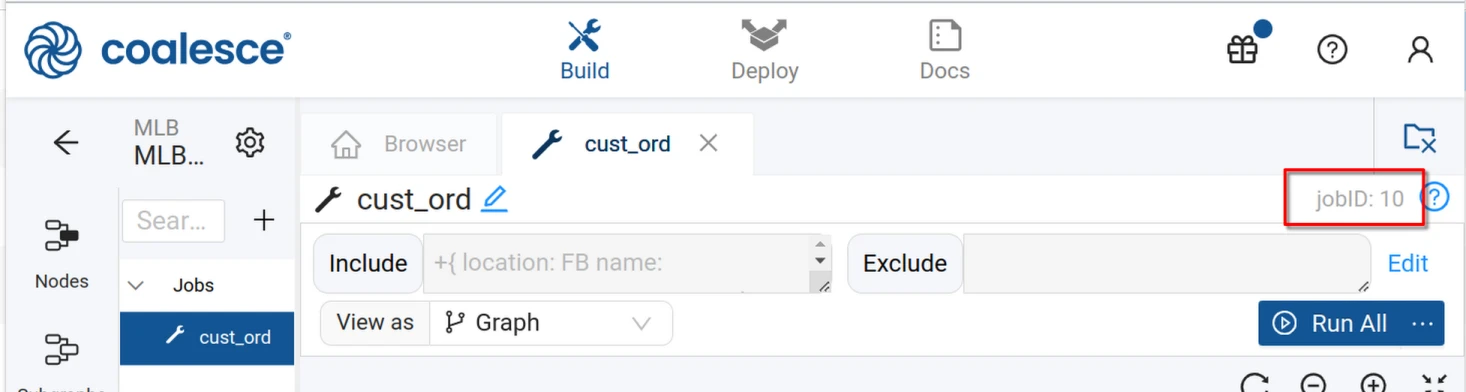
To obtain, the job id to run in the given environment, follow these steps:
-
Click on the Build tab at the Coalesce UI.
- Navigate to Jobs in the left sidebar
-
Open the job in question and copy the numerical id from the far right
-
Finally, update the value of
DATAOPS_COALESCE_JOB_ID
Snowflake account configuration
Note that you cannot choose the account from the DataOps side. You need to configure the account at the Coalesce side. See the Coalesce environment documention for more details.
Supported parameters
| Parameter | Required/Default | Description |
|---|---|---|
COALESCE_TOKEN |
REQUIRED | Coalesce API Token |
DATAOPS_COALESCE_ENVIRONMENT_ID |
REQUIRED | Coalesce environment id |
DATAOPS_COALESCE_JOB_ID |
REQUIRED | Coalesce job id to be refreshed |
COALESCE_SNOWFLAKE_USERNAME |
REQUIRED | Coalesce Snowflake connection username |
COALESCE_SNOWFLAKE_PASSWORD |
REQUIRED | Coalesce Snowflake connection password |
COALESCE_SNOWFLAKE_ROLE |
REQUIRED | Coalesce Snowflake connection role |
COALESCE_SNOWFLAKE_WAREHOUSE |
REQUIRED | Coalesce Snowflake connection warehouse |
Example jobs
A Coalesce job retrieving all parameters from the DataOps vault.
My Coalesce Job:
  extends:
    - .agent_tag
  stage: "Data Transformation"
  image: $DATAOPS_COALESCE_RUNNER_IMAGE
  variables:
    DATAOPS_COALESCE_TOKEN: DATAOPS_VAULT(COALESCE.TOKEN)
    DATAOPS_COALESCE_ENVIRONMENT_ID: 2
    DATAOPS_COALESCE_JOB_ID: 10
    DATAOPS_COALESCE_SNOWFLAKE_USERNAME: DATAOPS_VAULT(SNOWFLAKE.SOLE.USERNAME)
    DATAOPS_COALESCE_SNOWFLAKE_PASSWORD: DATAOPS_VAULT(SNOWFLAKE.SOLE.PASSWORD)
    DATAOPS_COALESCE_SNOWFLAKE_ROLE: DATAOPS_VAULT(SNOWFLAKE.SOLE.ROLE)
    DATAOPS_COALESCE_SNOWFLAKE_WAREHOUSE: DATAOPS_VAULT(SNOWFLAKE.SOLE.WAREHOUSE)
  script: /dataops
  icon: ${COALESCE_ICON}