Workspaces
The Workspaces page lists the cloud development workspaces you have opened for your projects. From this page, you can see the status of each workspace and open it again.
Access Workspaces
To access the Workspaces page:
- Open the Momentum platform.
- From the left navigation menu, select Develop.
- Select Workspaces.
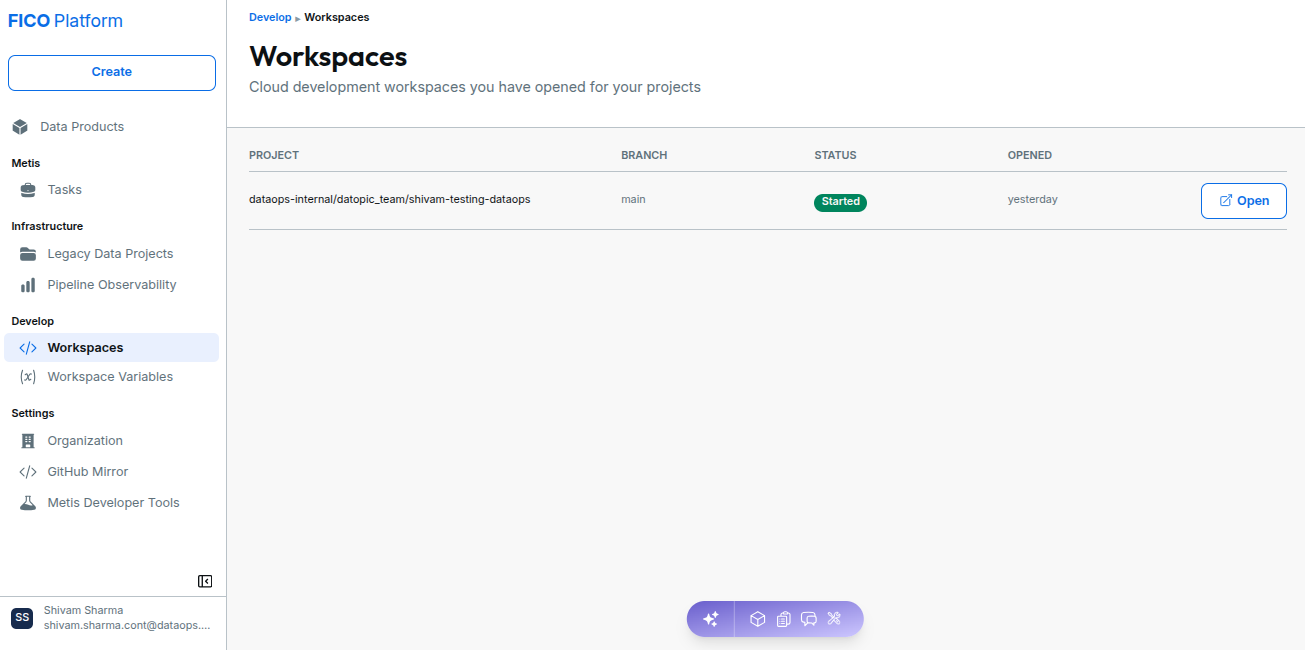
Workspace List
Each workspace is shown with the following information:
| Column | Description |
|---|---|
| Project | The path of the project the workspace was opened for. |
| Branch | The branch of the project that the workspace uses. |
| Status | The current state of the workspace, for example Started. |
| Opened | When the workspace was opened. |
| Open | Opens the workspace. |
Open a Workspace
Workspaces appear in this list when you open a project in Develop. To open a project in Develop, select Open in Develop for the project on the Legacy Data Projects page.
The workspace then opens in the DataOps Web IDE, and it is listed on the Workspaces page.
To view a workspace that is already open, select Open for it in the list. The workspace opens in the DataOps Web IDE, where you can browse and edit the files of the project.
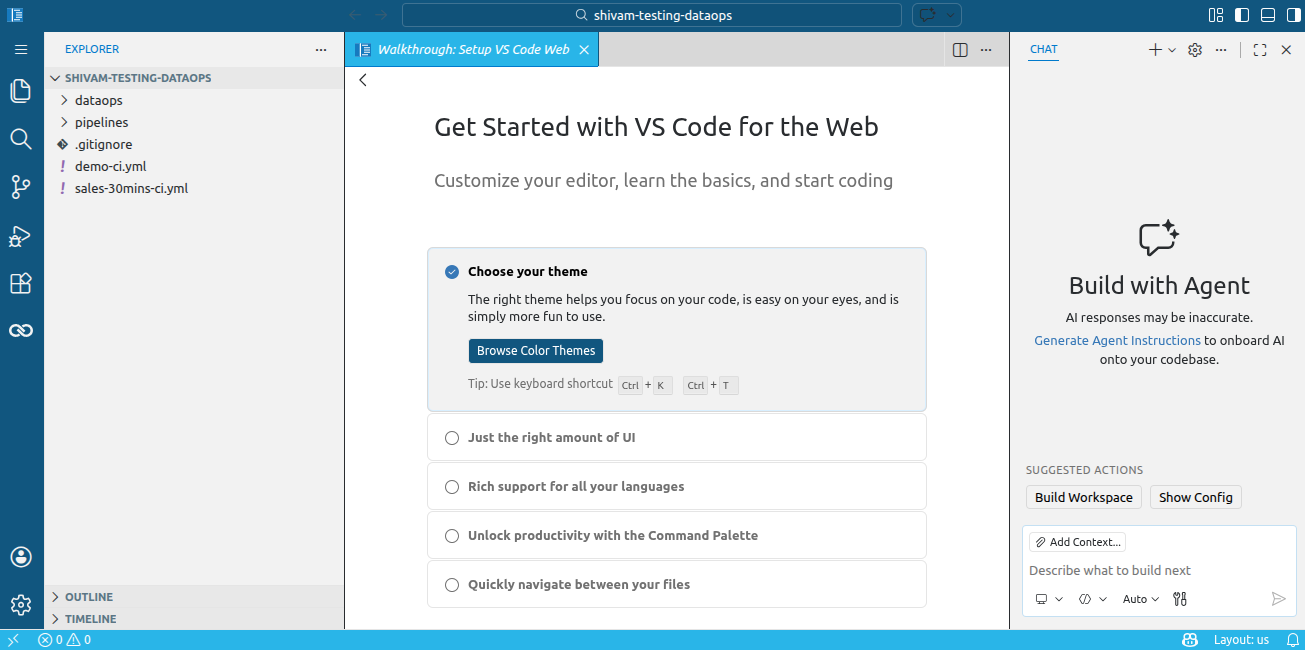
DataOps.live Develop offers a set of tools and features to support every stage of the development lifecycle. See DataOps.live Develop for more information.